BIOS Setup Information
RUBY-D716VG2AR User’s Manual 4-27
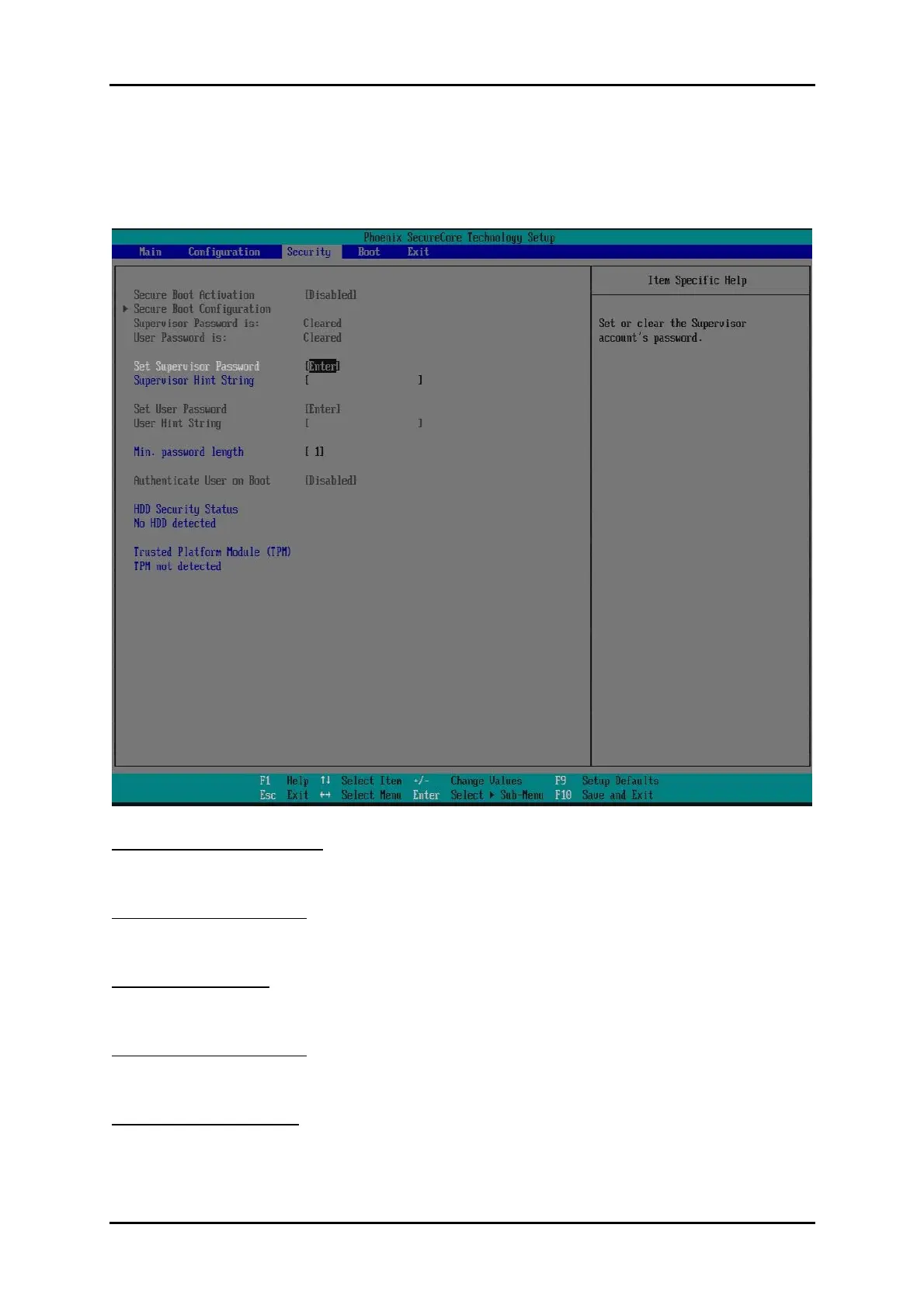
4.4 Security
This section lets you set security passwords to control access to the system at boot
time and/or when entering the BIOS setup program.
Set Supervisor Password
Set or clear the Supervisor account’s password.
Supervisor Hint String
Press Enter to type Supervisor Hint String.
Set User Password
Set or clear the User account’ password.
Supervisor Hint String
Press Enter to type User Hint String.
Min. password length
Set the minimum number of characters for password (1-20).














 To Next Page