Mounting a Customer Display to HS-3510W-E/3512W-E/3514W-E
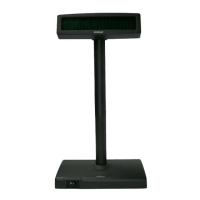
HS-3510W-E/3512W-E/3514W-E also allows you to additionally install a
customer display to expand its functionality. Based on the model of the second
display, the step-by-step instructions are provided in its own user guide to help
you mount it onto your POS system. Please refer to the relevant user manual
for detailed information.
Installing an Operating System
You are highly advised NOT to install an operating system on
HS-3510W-E/3512W-E/3514W-E without professional instructions. Not only
might the careless handling during installation cause irreversible damage to
your system, but also the improper installation likely leads to system
malfunction or failure. Please contact with your dealers about the issues of
operation system installation.
Performing System Recovery
For HS-3510W-E/3512W-E/3514W-E with preloaded operating systems,
Please be advised to contact your service center for further assistance with
system recovery. You are NOT encouraged to recover your system without the
help of the system integrators.


 To Next Page