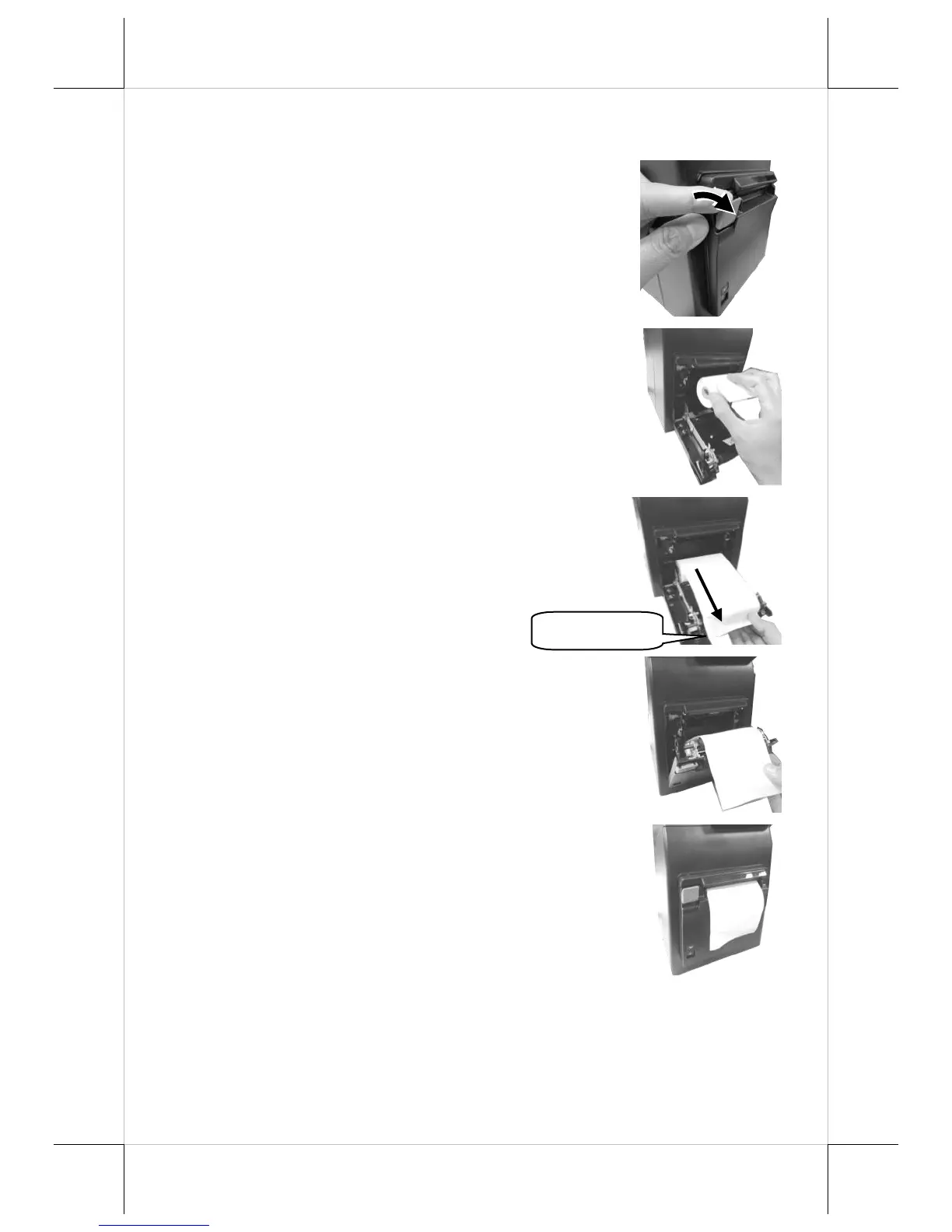
Loading 3” Paper Rolls in Epson TM-m30 POS Receipt Printer
Please follow the below steps to load a paper roll.
1. To open the cover for paper jam rescue
compartment, pull down the paper roll
cover release lever on the front of
compartment.
2. To load the thermal printer, drop the
thermal paper roll inside the paper roll
compartment of the printer as illustrated
in the figure.
3. Unroll the thermal paper and drag the
loose end of the paper till it extends
towards the paper cutter.
4. Make sure the loose end sticks out of the
opening of the paper roll compartment.
Then, close the paper roll cover by
pushing it back at the center of the top
side of the cover with a click sound.
5. Make sure the paper roll is well loaded
with the end of the paper sticking out as
shown in the figure.


 To Next Page