20
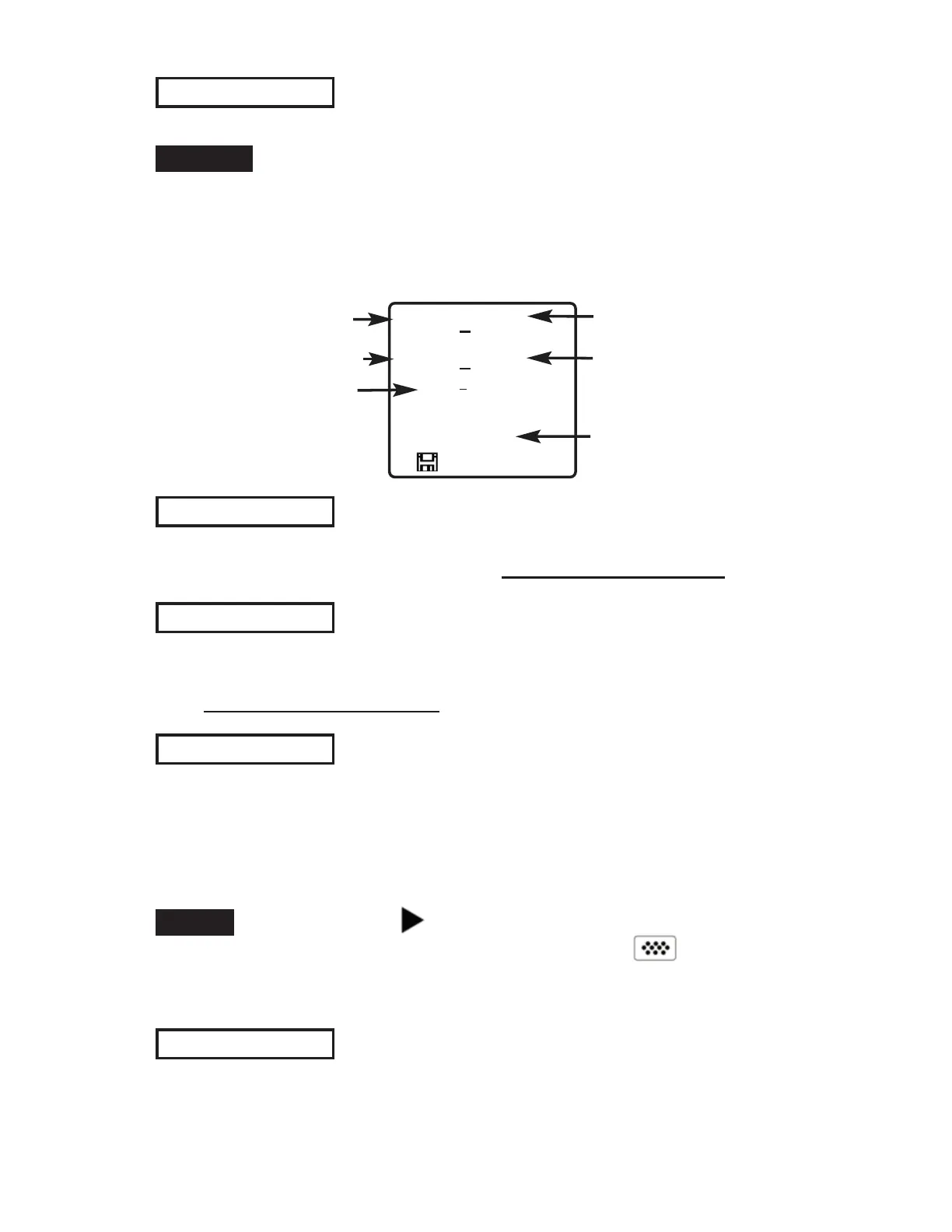
current batch
current sub-batch
statistics
(see pg. 17)
current reading
# of sub-batches in
current batch
microns
B2
71.3
1.5
s=3
s3
n5
72.4
74
72
x
↨
σ
↨
x
72
0.9
σ
# readings in current
sub-batch
When a sub-batch is open, create a new sub-batch by
pressing (+)
Shortcut:
In the following example, B2s2 is a sub-batch of Batch 2.
Sub-batching allows the user to group related batches so that
statistics can be accumulated for them. Batch 2 contains the
statistics for B2s1 and B2s2.
Determines if a coating system complies with the IMO
performance standard for protective coatings.
See www.defelsko.com/9010
New PA2
New 90/10
Helps determine if film thickness over a large area conforms to
user specified min/max levels. See www.defelsko.com/pa2
Open
Selects a previously created batch or sub-batch name to open and
make current. If it contains measurements, on-screen statistics will
immediately reflect values calculated from this batch. The
calibration setting (i.e. Cal 2) associated with this batch is also
opened (pg. 13).
A solid triangle is displayed to the right of the batch
name when sub-batches are present. Press to view
sub-batches. This also applies to the Delete, View and Print
options.
NOTE:
Close
Stops the recording process, closes the current batch, and
removes batch information from the display.
New Sub-Batch
(appears only if a batch is currently open)
Creates a new sub-batch within the currently opened batch.


 To Next Page