21
Sends a statistical summary and individual measurements to the
optional Bluetooth wireless printer.
Print
Delete
Removes a batch or sub-batch completely from memory.
The name is deleted and all measurements are erased.
Sub-batches can be deleted individually. To delete all related
sub-batches, simply delete the top-level batch.
View
Scroll using the Up or Down buttons through information,
statistical summary, and a list of each reading in the currently
opened batch. Press to exit.
To cancel printing, press and hold the (-) and (+) buttons
simultaneously
NOTE:
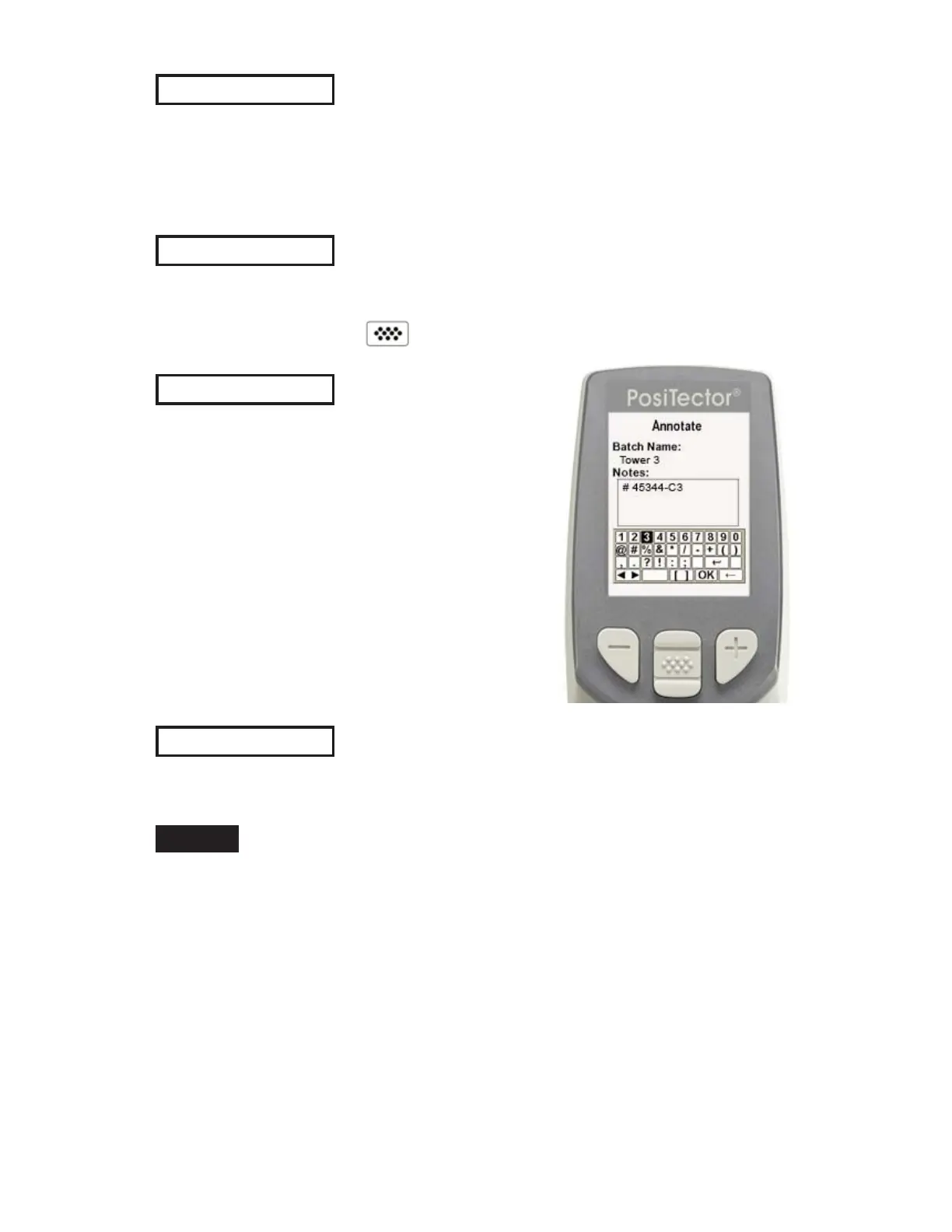
Annotate
Create meaningful batch names and
enter notes directly on the Gage using a
familiar onscreen QWERTY
keyboard.
Use the Gages navigation and (-)(+)
buttons to enter annotations.
Annotations can be synchronized with
PosiSoft.net, PosiSoft Mobile and are
included in PosiSoft USB Drive reports.
(Advanced models only)


 To Next Page