41 42
EQ (Equalizer)
EQ allows you to adjust the balance of frequencies in the signal. You can turn down the volume
at a certain frequency to make it sound more polished. BIAS Pedal provides three EQ module
types for you to choose from.
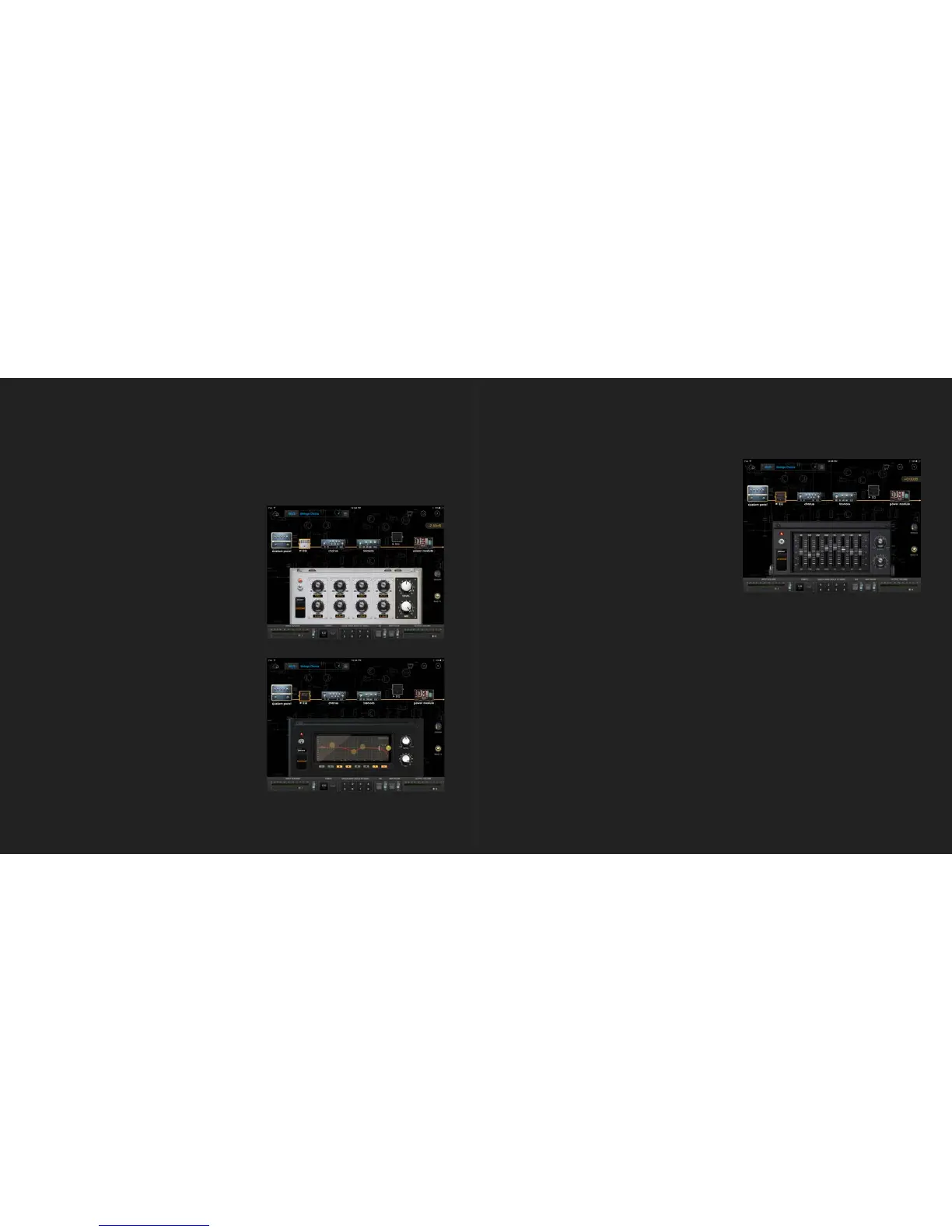
Studio EQ
・ Preset - Loads factory and user EQ setups.
Save and name your user Studio EQ setups here.
・ Gain - Adjusts the boost or attenuation for bass,
mid, and high filters.
・ Frequency - Sets the frequency for each filter.
・ LEVEL - Adjusts the output level of the EQ
module.
・ MIX - Adjusts the Dry/Wet ratio for the EQ.
Graphic EQ
・ Preset - Loads factory and user EQ setups. Save
and name your user Graphic EQ setups here.
・ Filter - Filter 1 is a low-cut filter. Filter 8 is a
high-cut filter. Filters 2 through 7 are peaking
(bell-curve) filters.
・ Numbers - Tap a numbered button to turn its
filter on.
・ LEVEL - Adjusts the output level of the EQ
module.
・ MIX - Adjusts the Dry/Wet ratio for the EQ.
Parametric EQ
・ Preset - Loads factory and user EQ setups.
Save and name your user Parametric EQ setups
here.
・ Slider - Drag the slider to adjust the boost or
attenuation amount for different frequencies.
・ LEVEL - Adjusts the output level for the EQ
module.
・ MIX - Adjusts the Dry/Wet ratio for the EQ.



 To Next Page