AK500 System Installation and User's Guide
Positron Access Solutions 17 Document 180-0037-003 R01
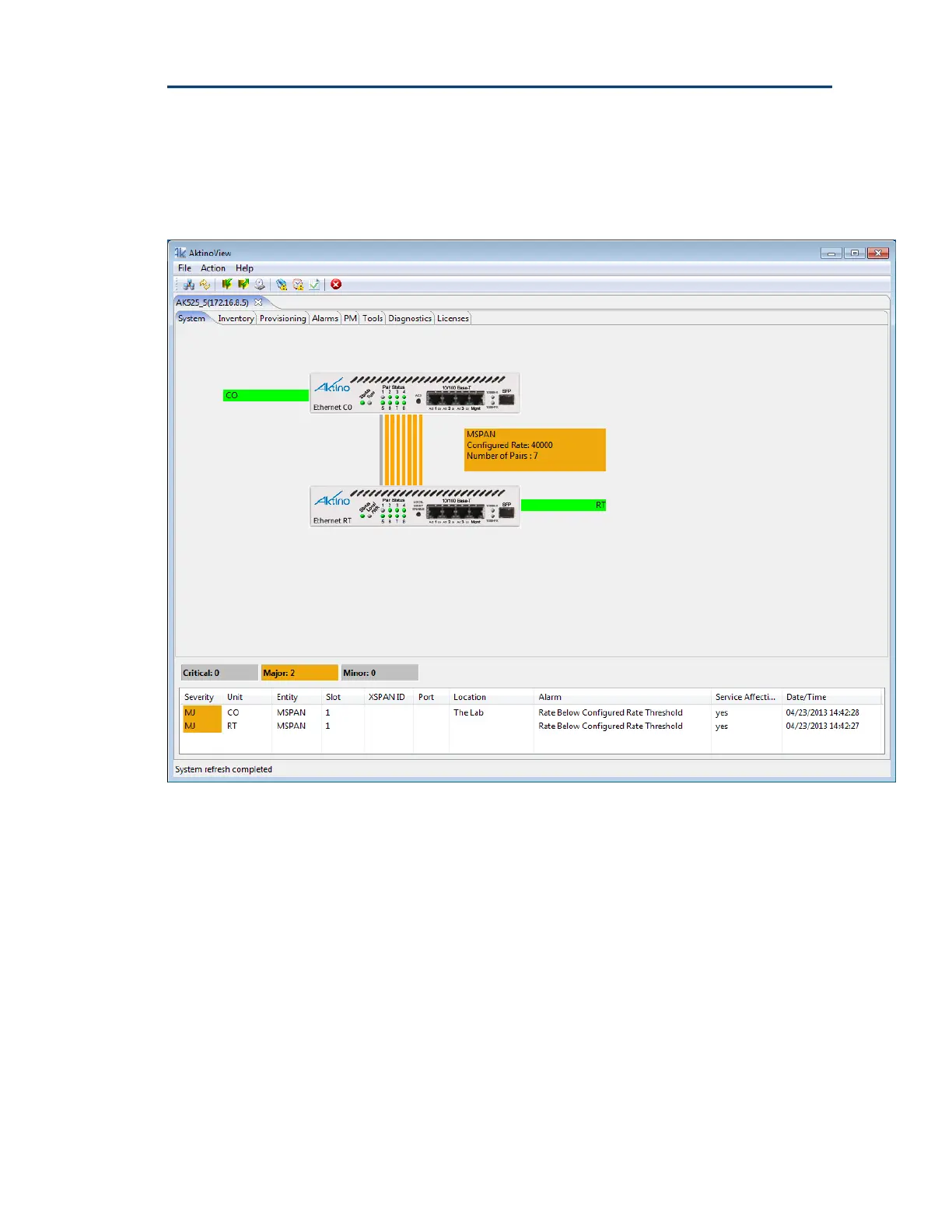
Under the Menus and Quick-Launch buttons, AktinoView displays a tab for all the
systems currently being managed. Each tab will display the System Name and
IP address of the selected system.
.
When AktinoView connects to a given system, it will display several additional
tabs appropriate for the selected system. In this case, AktinoView displays the
following tabs for an AK500 System: System, Inventory, Provisioning, Alarms,
PM, Tools, Diagnostic, and License.
AktinoView provides Alarm details by right-clicking on the unit. If alarms are
present in the system, AktinoView will display them at the bottom of the screen.
For more information about a particular alarm, double-click on the alarm for
details and trouble-shooting information.


 To Next Page