AK500 System Installation and User's Guide
Positron Access Solutions 18 Document 180-0037-003 R01
Alarm Details
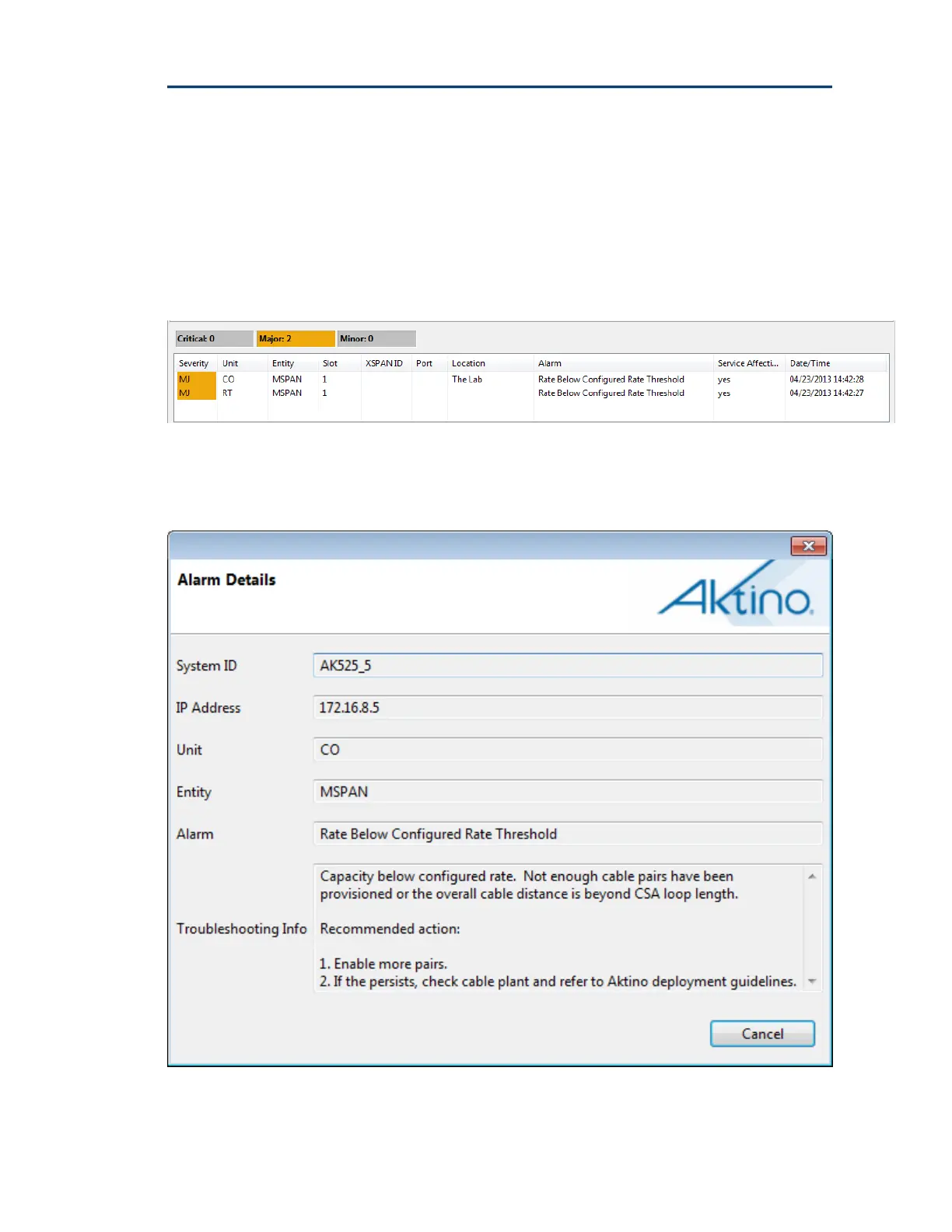
AktinoView displays detailed alarm information for each system. It displays
counters for the active Critical, Major, and Minor alarms, as well as detailed
alarm information for each of the alarms present. The columns can be sorted
and resized as desired.
Note: See Appendix B for more Alarm details.
Double clicking on the Alarm entry provides additional information about the
alarm.


 To Next Page