EasyManua.ls Logo

Powercom 1500AP - 1.1.8 Load Capacity Bar; 1.1.9 Battery Capacity Bar; 1.1.10 OFF Button; 1.2 Rear Panel

Default Icon
16 pages
Print Icon
To Next Page IconTo Next Page
To Previous Page IconTo Previous Page
Loading...
6
1.1.8 “LOAD CAPACITY” bar:
The display shows the power being drawn by the load.
1.1.9 “BATTERY CAPACITY” bar:
The display shows the present battery charge as a percentage of battery capacity.
1.1.10 “OFF” button:
Press the OFF button to turn off the UPS and the loads.
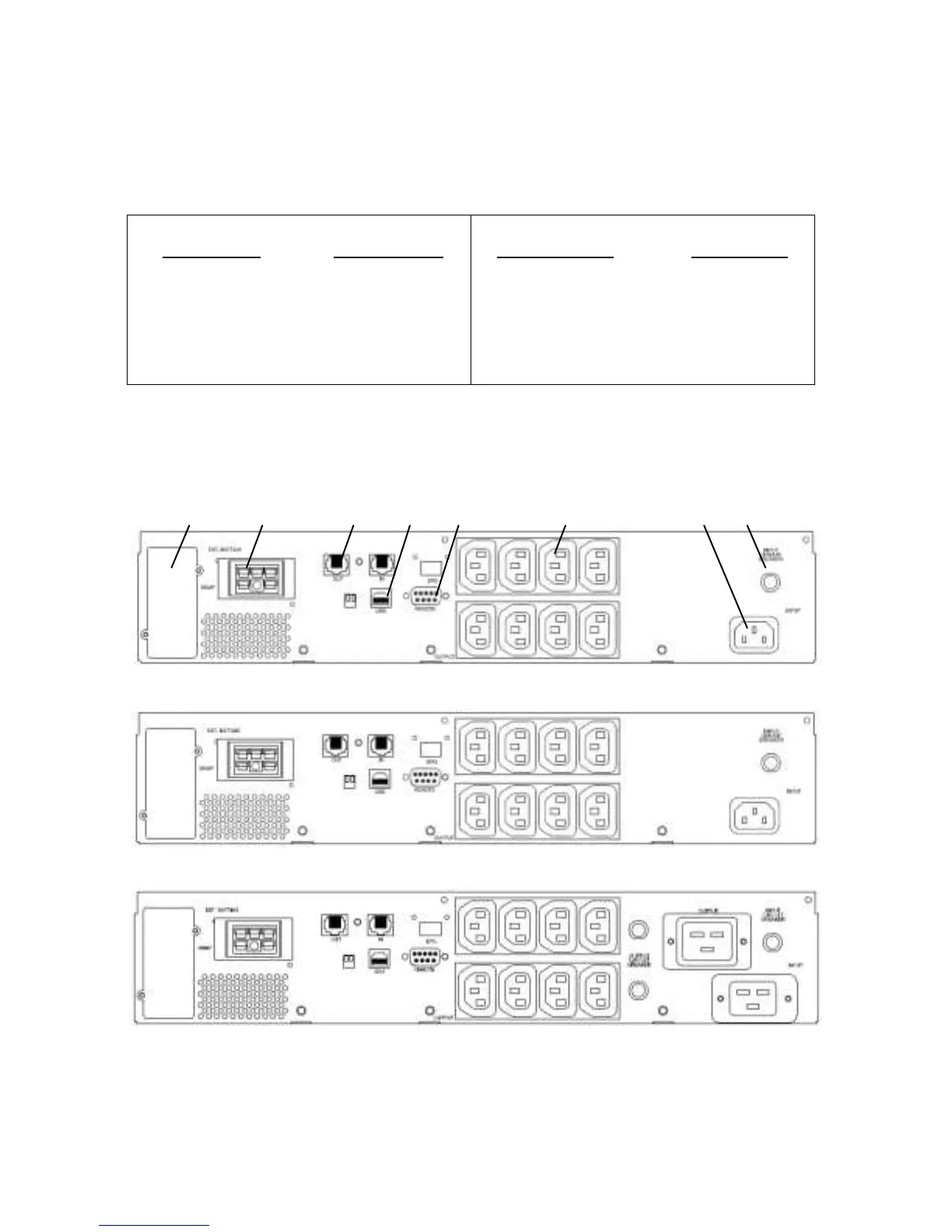
1.2 Rear Panel
7 2 1 8 6 3 4 5
1000VA
1500VA
2000VA
Load Indicator
Light no.5
Light no.4
Light no.3
Light no.2
Light no.1
% of Load Value
over 81%
61-80 %
41-60 %
21-40 %
6-20 %
Battery Indicator
Light no.5
Light no.4
Light no.3
Light no.2
Light no.1
% of Bat Level
over 81 %
61-80 %
41-60 %
21-40%
0-20%

Related product manuals