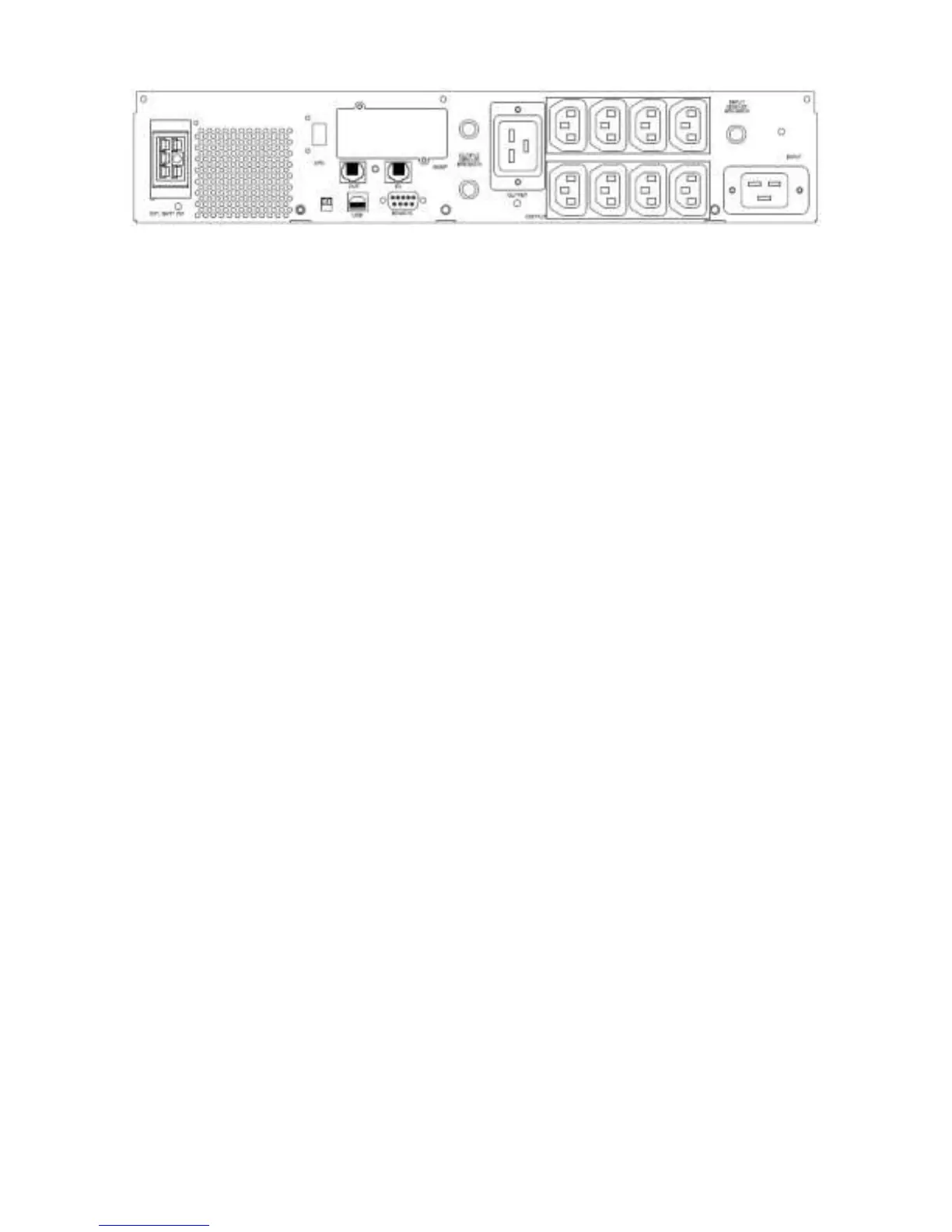
3000VA
1.2.1 “TEL./MODEM” connector
Telecom transfer ports provide users to extend the applications.
CAUTION: To reduce the risk of fire, use only No. 26AWG or larger telecommunication
line cord.
1.2.2 “EXTERNAL BATTERY PACK” connector (optional)
CAUTION: Use only factory supplied or authorized connecting cable for external
battery!
1.2.3 “OUTPUT” power receptacles
1.2.4 “AC INPUT” power receptacles
1.2.5 “INPUT CIRCUIT BREAKER/ FUSE”
It trips when the connected loads exceed the protected receptacle‘s capacity, The
center plungers of the circuit breakers/ fuse extend when tripped.
1.2.6 “RS232” interface
Provide both RS-232 and relay signal to support Linux, Windows and other operating
systems.
1.2.7 “SNMP” interface port (optional)
Provide the SNMP adapters for 10-BaseT Ethernet and Token Ring connectors. Through
SNMP adapter, your UPS becomes “SNMP manageable”, provide a real time UPS and
power status information for the network manager.
CAUTION: Use only factory supplied or authorized SNMP monitoring cable!
1.2.8 “USB” interface
Provide USB signal to support Windows OS, Linux and others.



 To Next Page