EasyManua.ls Logo

PowerDot PD-02 - Page 10

PowerDot PD-02
36 pages
Print Icon
To Next Page IconTo Next Page
To Previous Page IconTo Previous Page
Loading...
1) Mak
e
2) Lau
n
it.
3) Lau
n
to locate and a
c
To turn on yo
u
see the power
Multifunction
B
When a stimul
the Multifunct
i
Before Power
D
Doctor App.
When Power
D
will be able to
Follow the A
p
PowerDots) is
Use the Devic
PowerDot dev
i
from your Po
w
1)
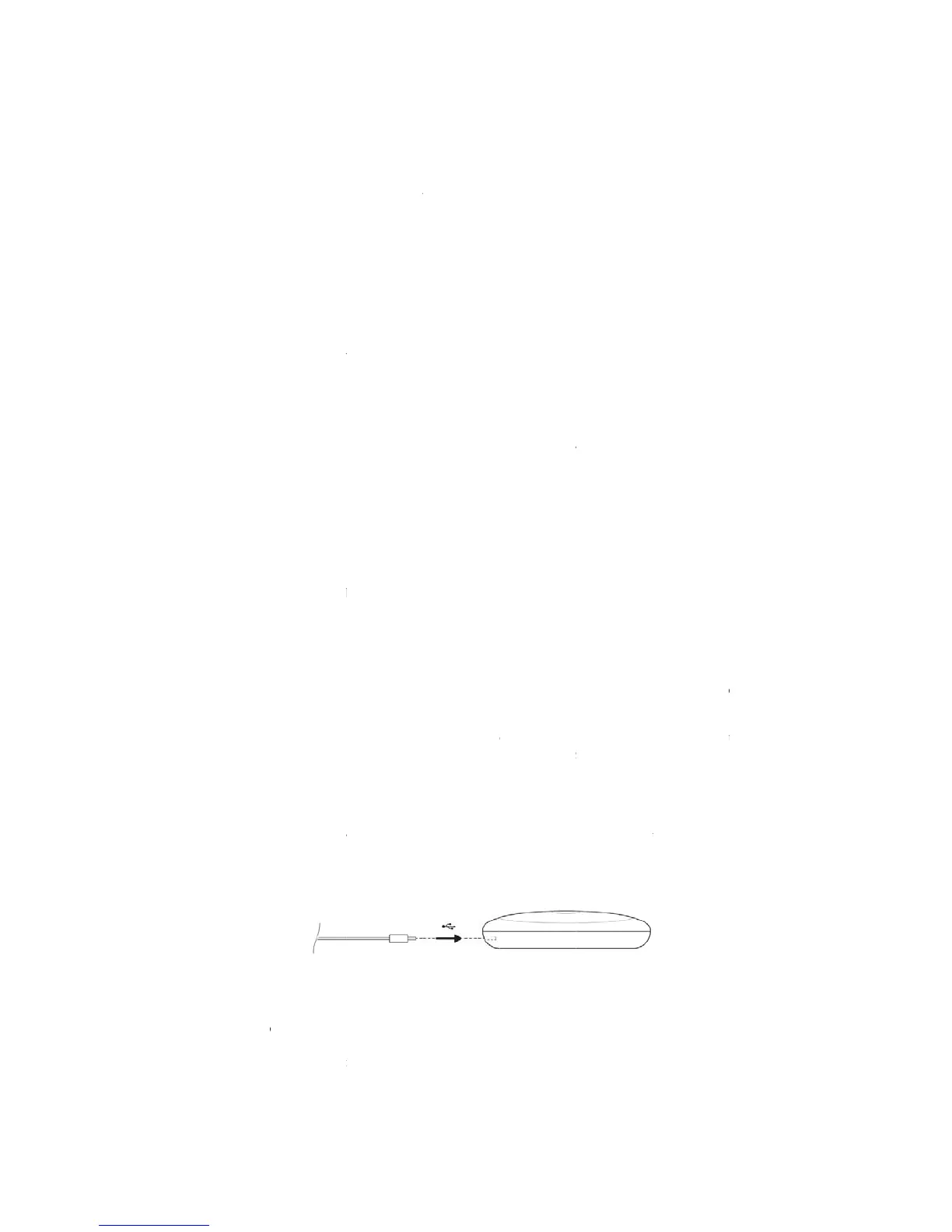
Plug
device.
2)
Deta
c
your body, ac
c
manual. Base
d
1.
e
sure you iPa
d
n
ch Apple App
ch the installe
d
c
tivate your Po
w
u
r PowerDot P
D
light turn on.
B
utton again f
o
ation is ongoi
n
i
on Button to t
u
D
ot PD-02 can
b
D
ot is activated
,
connect and us
p
p’s onscreen a
turned on befo
r
es screen (ava
i
i
ces or to deac
t
w
erDot Doctor
a
the lead cabl
e
ch both round
p
c
ording to the
p
d
on your expe
r
D
I
nstall
in
d
runs iOS 9.0
o
Store applicati
o
d
PowerDot D
o
w
erDot (or Po
w
2.
D
-02 unit, hol
d
When Powe
r
o
r approximatel
n
g, click on the
u
rn off the Pow
e
3.
b
e used for mu
,
it gets paired
e your Power
D
dvice to scan
f
r
e you start sca
n
i
lable from the
t
ivate previous
l
a
pp.
4.
Pr
e
you intend to
p
ads, rectangul
a
p
ad placement
r
ience and und
D
irections F
o
in
g/Launching
o
r later.
o
n, search for
o
cto
r
applicatio
w
erDots) for th
e
Turning Pow
e
d
the Multifunc
t
r
Dot is not in
y 1 second.
Multifunction
e
rDot.
Activatin
g
scle stimulatio
n
with your mo
b
D
ot from any ot
h
f
or and activat
e
n
ning.
PowerDot D
o
l
y activated on
e
r
eparing and
P
use into the
U
a
r pad from th
e
visual guideli
n
erstanding of t
h
o
r Use
P
owerDot Do
c
PowerDot Do
c
n, create your
p
e
first use.
e
rDot ON/OF
F
t
ion Button fo
r
stimulation,
y
Button once t
o
g
PowerDot
n
, it must
b
e ac
b
ile phone sec
u
h
er mobile dev
i
e
your PowerD
o
ctor App men
u
e
s. You can a
c
P
lacing
P
ower
D
U
SB Type C c
o
e
ir safety film a
n
n
es provided b
y
h
e principles o
f
c
to
r
App
c
to
r
” Mobile A
p
p
rofile and the
n
F
r
approximatel
y
y
ou can turn it
o
stop the stim
u
tivated from w
i
u
rely. Neither
y
i
ce.
ots. Make sur
e
u
) to activate
a
c
tivate and use
D
ot
o
nnector on yo
u
n
d stick them t
o
y
PowerDot D
o
f
electrical mu
s
p
plication and
i
n
follow instru
c
y
1 second, unt
i
off by holdi
n
u
lation and the
n
i
thin your Pow
y
ou nor anyon
e
e
your PowerD
o
a
nother or addi
t
up to 32 Powe
u
r PowerDot
P
o
the targeted
p
o
cto
r
App or i
n
s
cle stimulatio
n
1
0
i
nstall
c
tions
i
l you
n
g the
n
hold
erDot
e
else
o
t (or
t
ional
rDots
P
D-02
p
art of
n
this
n
, you
0

Related product manuals