27
Basic Troubleshooting
DEVICE DOESN’T TURN ON
PowerDot PD-02 is probably very low on the battery. Charge your PowerDot for a few hours.
DURING PRE-STIMULATON SET UP, POWERDOT(S) CANNOT BE FOUND (OR ARE NOT
CONNECTED) .
Check out Devices screen and make sure that PowerDot device you’re trying to use is in the list of active
devices.
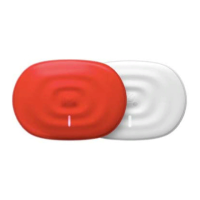
Make sure your PowerDot is turned on (the white light is on in the device).
In some rare cases, you would be required to forget (remove) relevant PowerDot device from Bluetooth
Settings (use device serial number to identify the right one).
STIMULATION DOES NOT PRODUCE THE USUAL SENSATION
Check that your electrode pads are firmly attached to your body and are correctly positioned (as advised on
the Pre-Stimulation screen). Put the stimulation on pause, re-attach or reposition pads, then resume the
stimulation.
THE STIMULATION CAUSES DISCOMFORT OR A BURNING FEELING
If you’re using your standard intensity modes, than most probably your pads are worn out and and/or losing
their bonding strength. Pause the stimulation and re-attach your pads firmly, then resume stimulation. If the
same sensation continues, pause the stimulation again and replace your pads.
ELECTRODE PADS DON’T STICK TO THE BODY OR STIMULATION IS SURPRISINGLY WEAK
EVEN ON HIGHER INTENSITIES
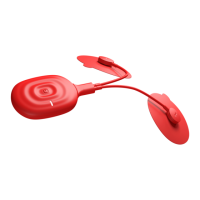
Replace your electrode pads. Most probably they’re worn out. If it doesn’t work, check your lead cable for
physical damage. If there is any damage, replace the lead cable.
CAN’T ACTIVATE POWERDOT DEVICE OR IPAD STOPPED CONNECTING TO THE POWERDOT
Remove relevant PowerDot(s) from Devices menu (use serial number to identify the right one(s)).
Perform manual factory reset of your PowerDot (or PowerDots) by turning the device off and then
holding the button on the device for around 5 seconds, until you see power light blinking several times.
Go to Bluetooth Settings and remove/forget relevant PowerDot(s) using device’s serial number.
Terminate PowerDot Doctor App using Task Manager.
Launch PowerDot Doctor App again and try to activate your device again.
If after all steps above, you still experience connectivity problem, please send us your phone model,
OS version and the list of actions you have performed to service@powerdot.com. We will respond within 24
hours.


 To Next Page