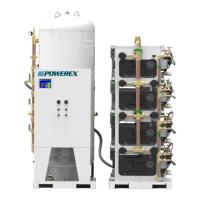
Scroll Medical & Laboratory Compressed Air Systems
Powerex • 150 Producon Drive • Harrison, OH 45030 • USA
P 1.888.769.7979 • F 513.367.3125 • www.powerexinc.com
IN907800AV • 08/2018
Page 7 of 40
Start Up and Operaon
1. Follow all procedures under “Before Start-Up” before
aempng operaon of the lab air system.
2. Make sure all selector switches are in the OFF posion.
3. Switch on electric source.
4. Open tank connecon valve or valves completely.
5. Using the selector switches on the control panel, turn on each
pump—motor in the “Auto” mode unl all are running.
6. Check for excessive vibraon, unusual noises or leaks during
operaon. If problems are detected, shut down the system
and make correcons or repair as needed before operang the
system.
7. Pumps may be operated in “hand” mode to override the
funcon of the automac controls. The pumps and the system
will not be damaged during “hand” mode operaon is used
for a short me. If hand mode if used for many hours, possible
overload and overheang may result along with more rapid
pump wear. The system safety valves may open if operated in
“hand” mode.
8. In normal operaon, leave all selector switches in the “Auto”
posion and allow the controls to cycle the pumps as needed
based on compressor demand.
Control Operaon
Systems are available with basic or premium controls. All controls
ulize a PLC to control the on o cycles of the pumps. The basic
controls have all the switches and indicator lights labeled. Operate
the system by turning the switches from OFF to AUTO unl all the
circuits are acve. Use the dryer selector to choose either dryer 1 or
dryer 2. During switchover temporarily use “BOTH”.
The system has a set of back-up pressure switches, if the pressure
gets low enough the backup low pressure switch will turn on all the
pumps. An alarm is triggered for “Reserve in Use” on medical systems
and “Low pressure” on lab systems. Similarly there is a high pressure
switch that will turn o the pumps even if the PLC fails to do so before
the system pressure rises beyond allowable levels. When the system
runs on the back up switches mulple motors may engage at the
same me generang high inrush amp draws.
A typical Medical system schemac with basic controls is shown on
page 8.
NOTE: In Medical and lab systems the Motor Protector Circuit
Breakers can be used to isolate a motor branch circuit to prevent the
motor from running. The fan motors and temperature switches are
not controlled by the MPCB (nor is the control signal to the motor
contactor) and must be depowered separately if needed.
If all pumps are running in the wrong direcon,
change the incoming power leads to correct
rotaon.
Premium Controls ulize a touch screen display to give and receive
informaon. This is oen referred to as a Human – Machine Interface
or HMI. The HMI screens and their funcons and capabilies are
discussed on page 14.


 To Next Page
 Loading...