CHAPTER 5 — OPERATION FOR PLC-7420 CONTROL SYSTEM
5.8 Parameter Configuring
•Stopthemachinebeforesettinganyparameter.
•Someparameterscanberesetbytheuser
throughthecontrolpanel,andtheotherscanonly
bechangedusingthePCutilitysoftware.Con-
tactPOWERLINKorourauthorizeddistributor
fortechnicalsupportifyouencounteraproblem
whenconguringparameters.
Althoughfullcongurationofthemoduleispossible
usingcongurationsoftware,selectedparameters
thatmayrequireadjustmentintheeldareableto
beadjustedviathemodule'sfascia.
1)Ensuretheengineisatrestandthemoduleisin
STOPmodebypressingtheStopButton.
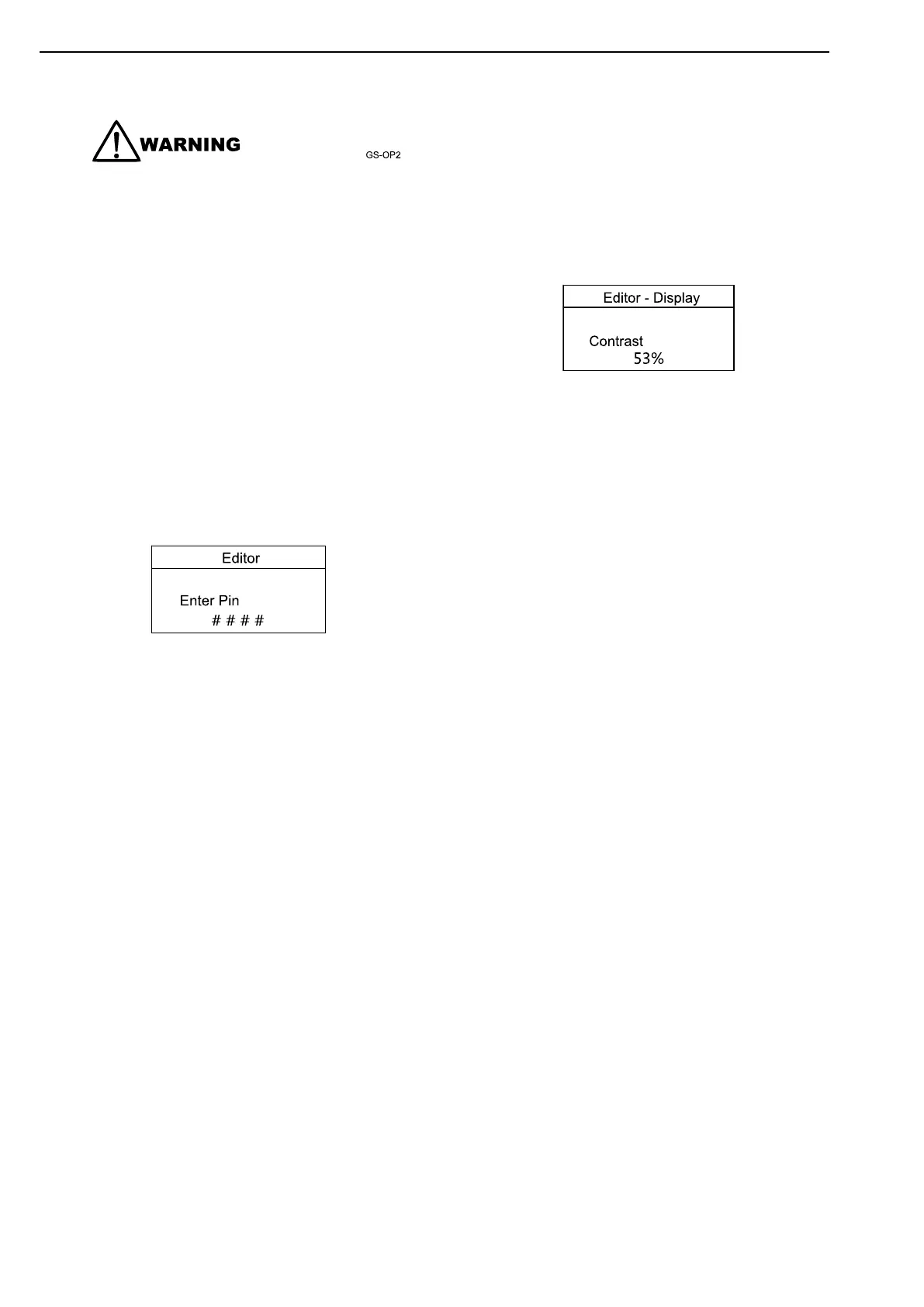
2)PresstheStopbuttonandAcceptbuttonsi-
multaneously.IfamodulesecurityPINhasbeen
set,thePINnumberrequestisthenshown:
3)PresstheAcceptButton,therst"#"changesto
"0".PresstheUp/DownButtontoadjustittothe
correctvalue.PresstheRightButtonfornext
digitwhentherstdigitiscorrectlyentered.The
digityouhavejustenteredwillnowshow"#"for
security.Repeatthisprocessforotherdigitsof
thePINnumber.PresstheAcceptButtonafter
editingthenalPINdigit,thePINischeckedfor
validity.Ifthenumberisnotcorrect,youmust
re-enterthePIN.
4)IfthePINiscorrect(orthemodulePINhasnot
beenenabled),theeditorisdisplayedasbelow
illustration.Thenentertheeditorinterface.
5)PresstheLeft/RightButtontocycletothesec-
tionyouwishtoview/change.
6)PresstheUp/DownButtontoselecttheparam-
eteryouwanttoview/changewithinthecurrently
selectedsection.
7)PresstheAcceptButtontoentereditmode.
Theparameterbeginstoashtoindicatethatyou
areeditingthevalue.
8)PresstheUp/DownButtontochangethepa-
rametertotherequiredvalue.
9)PresstheAcceptButtontosavethevalue.The
parameterceasesashingtoindicatethatithas
beensaved.
10)PressandholdtheAcceptButtontoexitthe
editoratanytime.
36


 To Next Page