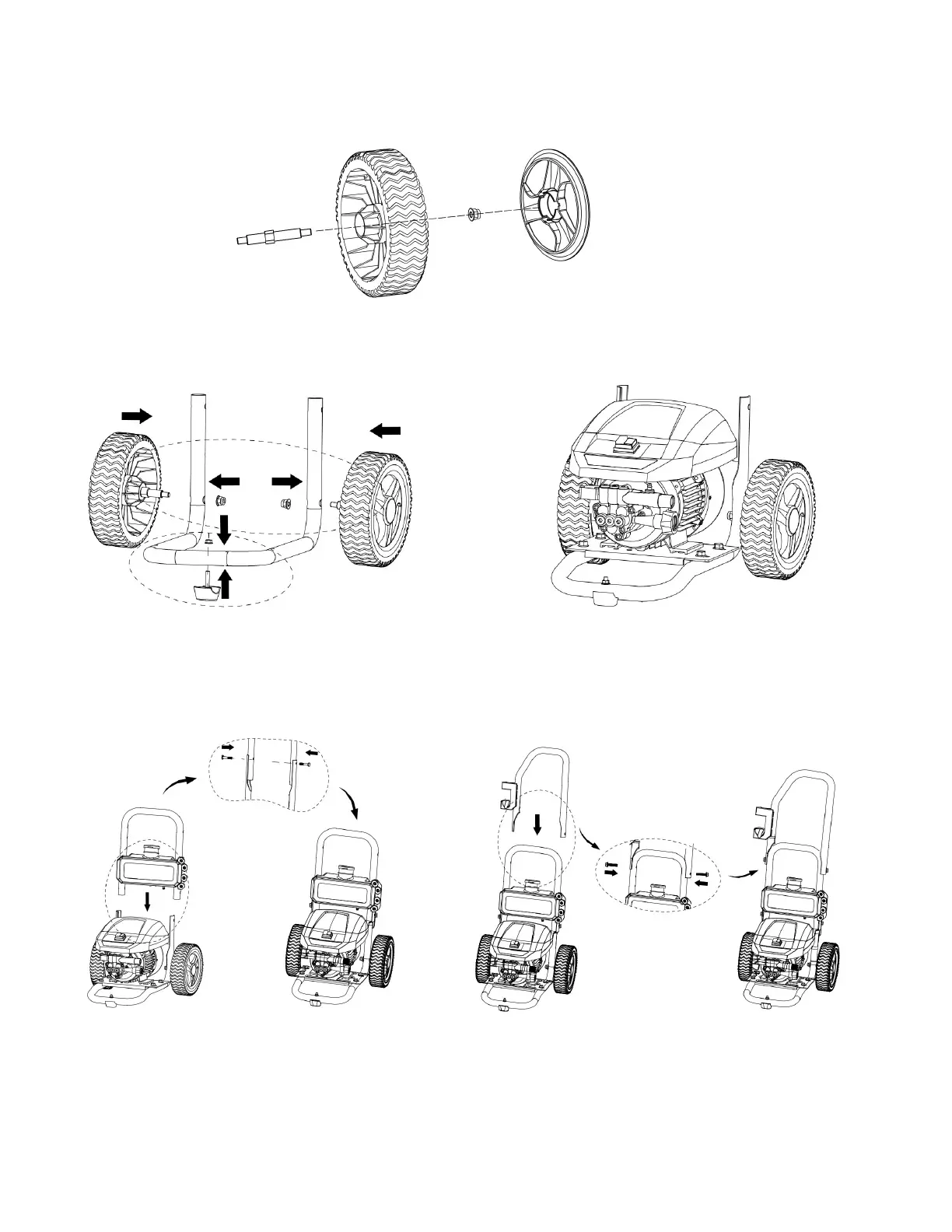
INSTALL WHEELS AND SUPPORT FOOT
1.Put the axle through the inside of the wheel and lock the nut. And then install the wheel cover on the
wheel.
2.Install the wheel assembly onto the lower tube and lock the nut.
3.Thread the bolt through the hole of the support foot and the lower tube, and lock the nut.
INSTALL THE HANDLES
1. Install the panel assembly onto the lower tube, align the 2 mounting holes, install the bolt through the
mounting hole.
2. Install the upper tube onto the middle tube and align it with the two mounting holes, then put the bolts
through the mounting holes and lock the bolts.


 To Next Page