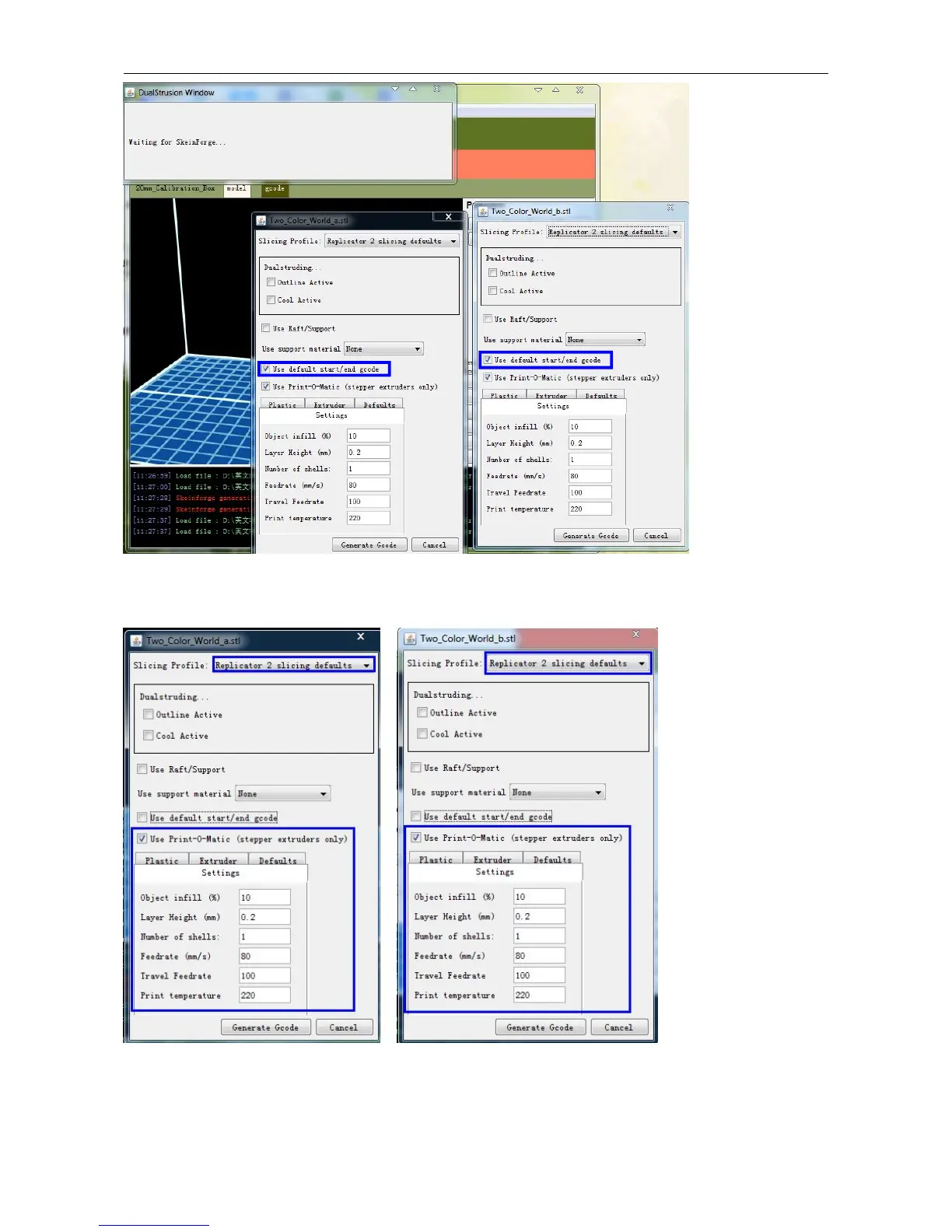
In both boxes you need to remove the tick in front of the 'use raft/support' option. If you want to print dual colors with
PLA filament, then perform the following settings:
If you want to print dual colors with ABS filament, select Replicator slicing defaults under the Slicing Profile column,
and lower the Feedrate to 60 and Travel Feedrate to 80.
Click the Generate Gcode option for both boxes. After the Gcode is generated, click on the gcode tab as highlighted


 To Next Page