4 Software Installation
ReplicatorG0040 is the ideal software to use with the dual extruder 3D Printer. It can be downloaded from replicat
official website by following the link below and click on Download.
http://replicat.org/download
ReplicatorG0040 for Windows users can also be found in the folder of information of 3D printer on the SD card, which
shipped together with the 3D Printer.
Steps for installing your software:
1. Download the appropriate version of ReplicatorG suitable for your system from
http://replicat.org/download.
2. From the SD card shipped with your printer, browse to the “information of 3D printer” folder and run the
Python installation file and the Python acceleration components.
3. After completing the Python component installation, click Replicator-0040-Installer to install the
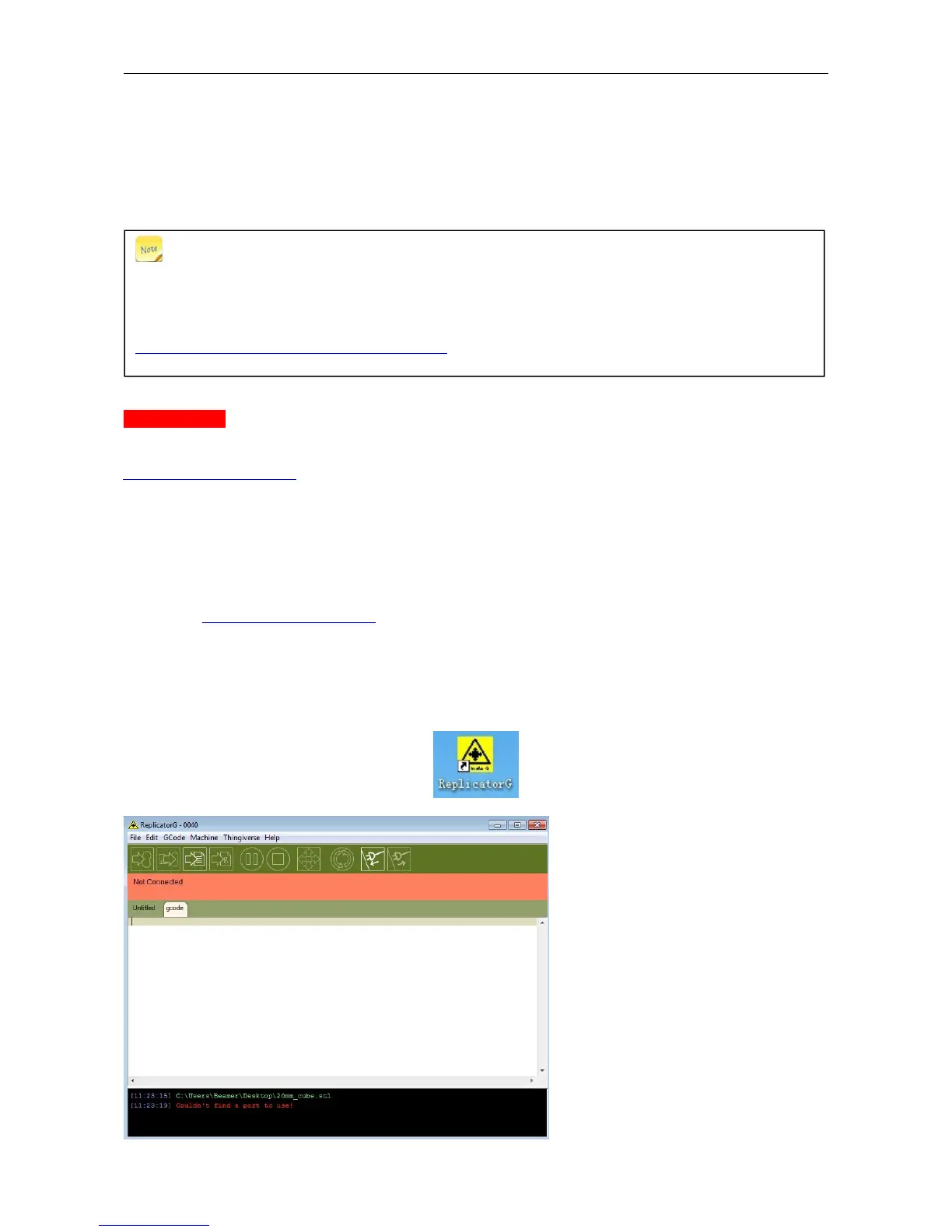
4. To run the ReplicatorG software, double click the shortcut on your desktop or in your start menu.
SPECIAL NOTES TO WIN 8 USERS BEFORE SOFTWARE INSTALLATION
Win 8 users please make sure that you have disabled the Driver Signature Enforcement setting before installing
the ReplicatorG software. Below is a video link showing you how to accomplish this:
http://www.youtube.com/watch?v=NM1MN8QZhnk


 To Next Page