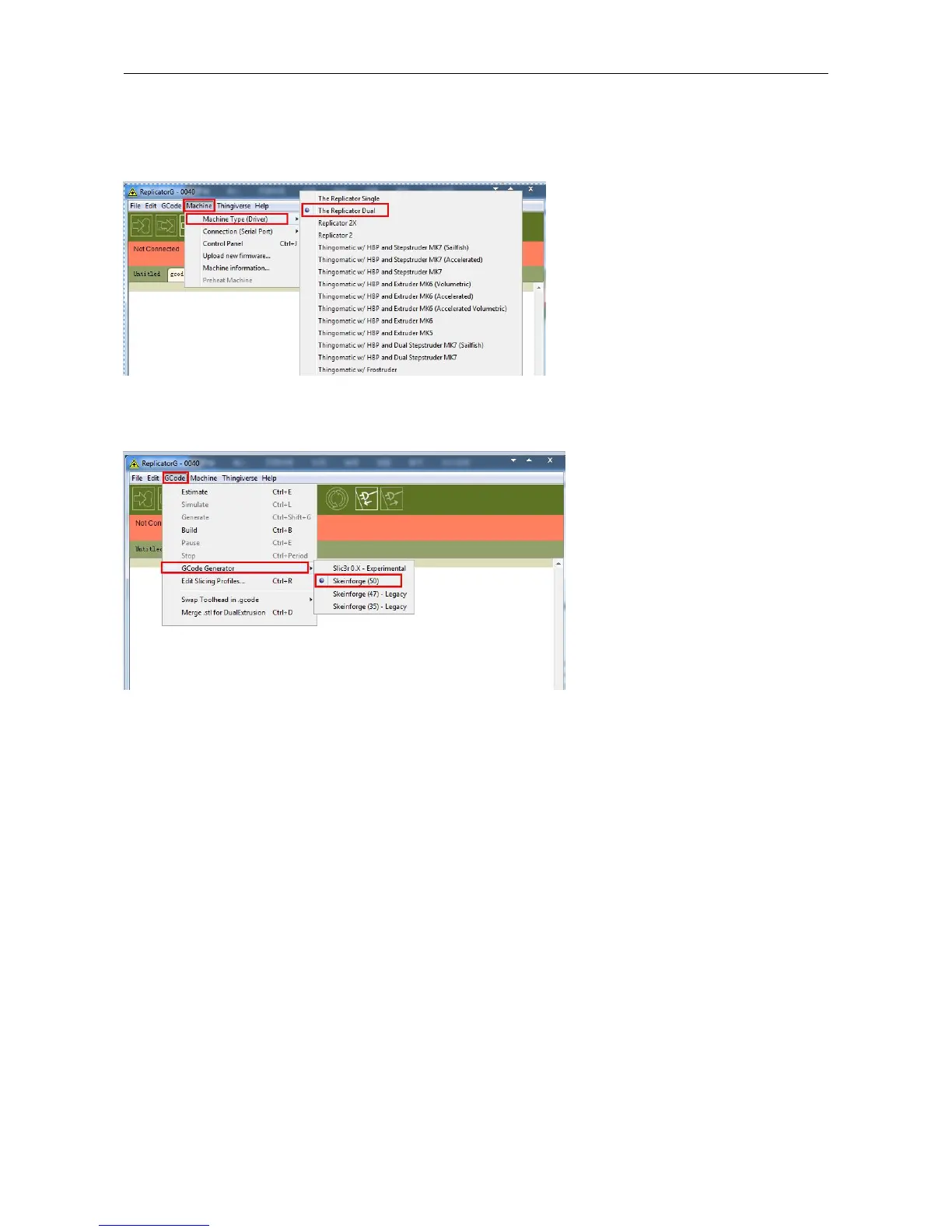
After opening ReplicatorG software, click on Machine to select your Machine Type. Choose The Replicator Dual for 3D
Printer dual extruder machine.
After selecting the appropriate machine type, click on GCode on the top navigation bar, and under GCode Generator,
select Skeinforge(50).
The following gives an introduction on how to import files (.STL) into the Replicator G software and then generate
Gcode to print your creation.
Click File > Open, then browse and select the file (.STL) that you would like to print. Import the file by double-clicking
on it. Then the drawing will appear on the Replicator G interface.


 To Next Page