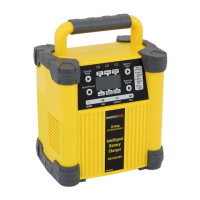
2. Battery Selection Button sets the type of battery to be
charged to one of the following:
GEL CELL / SLA – All type of “gel cell”, “SLA” battery.
Regular – All type of “lead acid” battery, sealed or non-seal.
Deep Cycle – All type of Deep cycle battery
3. Mode Display sets and shows one of the following reading:
Output current – This shows the selected charging current.
Battery voltage –This shows the voltage of the battery in DC.
Charging % –This shows an estimate percent of charge.
With the exception of gel cell and calcium batteries, all other
battery types may or may not have vent caps. Vent caps are
located on top of the battery and provide a means to add distilled
water when needed.
Batteries should be marked with their type. If charging a
battery that is not marked, check the manual of the item that
uses the battery. If the battery type is unknown, use the “Gel
Cell / SLA” setting.
Charging
7


 To Next Page