8
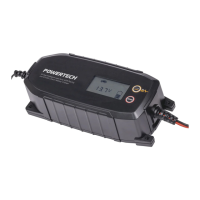
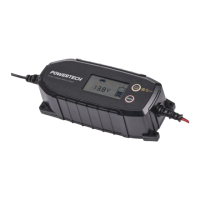
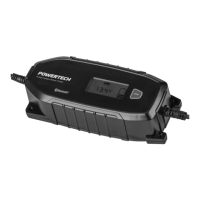
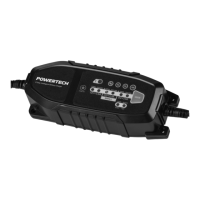
This charger has been designed to be as simple to use as possible. As a result,
there is only one input button for Lithium charging mode. The charger has an
advanced on board micro-processor that will take care of every setting required.
To commence battery charging:
• Unwind both 230V and 12V power leads from the rear of the charger.
• Connect the Red POSITIVE (+) clamp to the battery Red POSITIVE (+) terminal
• Connect the Black NEGATIVE (-) clamp to the Black NEGATIVE (-) terminal
• Plug in the 230v mains power cord, and switch on power.
• The charger will take approximately 1 minute to complete its voltage
diagnostics to detect the correct battery voltage, once complete the correct
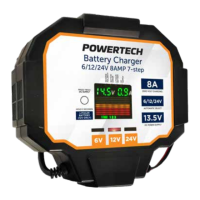
LED will illuminate for 6, 12 or 24V operation.
• Charging will now commence automatically.
• 12V LITHIUM BATTERY ONLY – Press and hold MODE button for 3 seconds
until LITHIUM LED indicator lights up. 12V Lithium Mode charging will remain
activated when the unit is switched o and then switched back on due to its
memory retaining function.
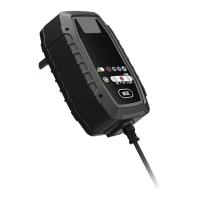
• View the status LED indicators on the front panel to see progress.
• Once the top GREEN LED bar in the display indicator illuminates, the battery is
fully charged, and may be disconnected from the battery charger clamps.
To Disconnect:
• Switch o mains power and unplug power cord, if the last charging mode was
set to lithium or other conventional lead acid batteries, the charger will retain
that memory and maintain that charging profile when switched back on.
• Disconnect the Black NEGATIVE (-) clamp from the Black NEGATIVE (-)
terminal
• Disconnect the Red POSITIVE (+) clamp from the battery Red POSITIVE (+)
terminal**
• Re-attach battery terminal protective covers if previously removed.
• Rewind both 230v and 12V power cables back into the rear of the charger for
storage.
Power Supply Mode:
This battery charger is fitted with a DC power supply mode. This mode will deliver
a constant 13.5 Volts at 8/12/16 Amps and can be used for powering 12V DC
appliances, lighting or used for testing 12V devices. The DC power supply also
has overload and short circuit protection which will cause the DC Power light to
flash when protection is activated. To return to normal, press mode button once
to return to charging mode, then press mode button twice to enter DC Power
BATTERY CHARGER OPERATION


 To Next Page