9
supply. DC power supply mode does not have memory, so disconnecting power
then reconnecting it will mean the charger will return to normal charging mode.
To enter the DC power supply mode:
• Ensure unit is switched o before making any connections
• Connect to 230v AC.
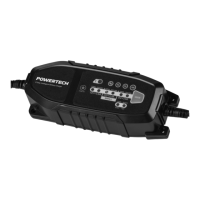
• Press the MODE button twice until the DC SUPPLY LED indicator is illuminated.
• Connect the RED lead (Battery Clip) to the positive input on the device.
• Connect the Black lead (Battery Clip) to the negative input on the device.
• To switch o power supply; press MODE button once to go back to charging
mode.
• Disconnect the DC power leads from the device.
• The DC power mode will also automatically turn o and revert to Battery
Charging when the charger is turned o and powered back on.
WARNING: Do not enable DC power supply mode when connected to a battery
in order to prevent severe battery failure.
CLEANING, CARE, STORAGE & MAINTENANCE
• Disconnect from any mains power prior to commencing any cleaning or
maintenance.
• Never immerse the charger in water as entering the charger will damage it.
Clean only with a dry lint free cloth. Should charger become heavily soiled
clean with a lightly dampened cloth only and allow to completely dry before
use.


 To Next Page