POWERWINCH RC 23 & RC30 TRAILER WINCHES
5
LOADING THE BOAT
1. Align the boat and trailer.
2. Loosen the clutch knob (turn counterclockwise) and free-wheel the cable to the
boat. Attach the hook to the eye on the bolt.
NOTE: If the winch cable is initially difficult to pull out, try engaging the
motor for a few seconds with the clutch fully released. This should free the
clutch allowing the cable to pull out.
3. Tighten the clutch control knob clockwise until finger tight to set the brake.
DO NOT over tighten the clutch knob; over tightening can cause damage to
the clutch.
4. Step clear of the cable, winch and boat.
5. Turn on the remote by pressing the ON/OFF button until the blue LED illuminates
and the winch light flashes.
6. Press and hold the button. Power in the cable until the boat touches the
bow stop. Release the button.
7. When fully loaded, secure the boat to the trailer.
MANUAL OVERRIDE SWITCH
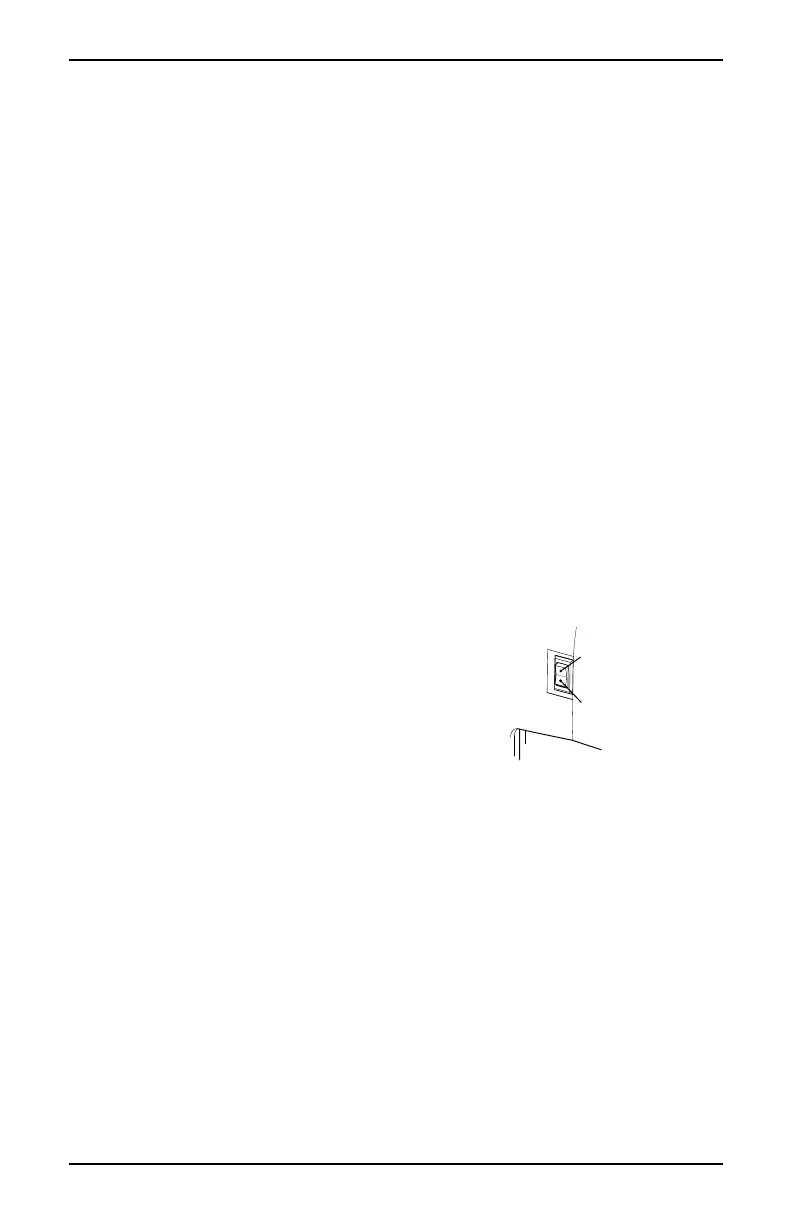
If the remote is lost or damaged before retrieving the boat, a manual override
switch is provided on the back of the winch.
1. Connect the power to the winch. The power cord plug goes into the socket on the
right side of the winch.
2. Align the boat and trailer.
3. Loosen the clutch knob (turn counterclockwise) and
free-wheel the cable to the boat. Attach the hook to
the eye on the boat.
4. Tighten the clutch control knob clockwise until
finger tight to set the brake. DO NOT over
tighten the clutch knob; over tightening can
cause damage to the clutch.
5. Press down and hold the manual override switch Power in the cable until the
boat touches the bow stop. Release the switch.
6. When fully loaded, secure the boat to the trailer.
Press to Learn
Manual Override
pwRC009a


 To Next Page