Xcelerators Owner’s Manual
Find out your tuner’s software version by
connecting your Xcelerator to your vehicle.
The rst screen will display the following;
Version number (Version X.XX) is shown above. (Note: Date may be dierent
depending on the version you currently have on your Xcelerator.)
IMPORTANT: Return your vehicle “Back to Stock” prior to updating your
Xcelerator with the update.
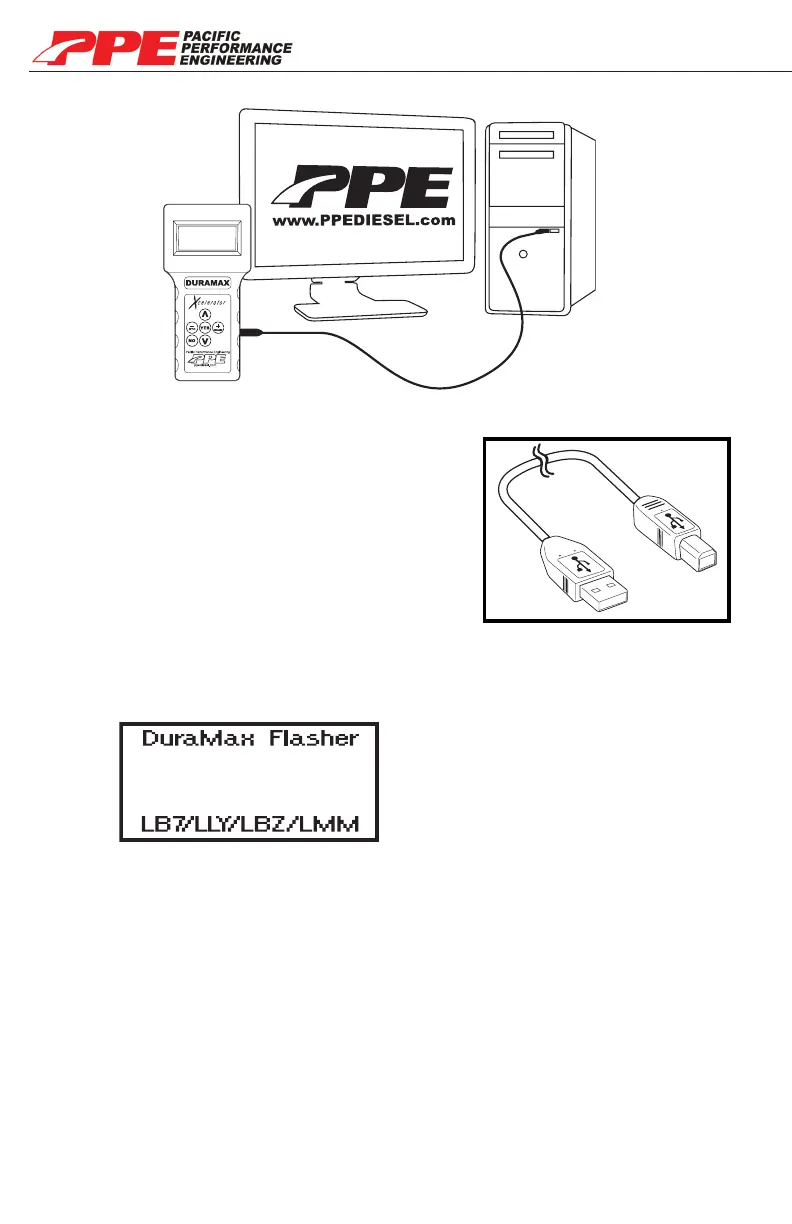
• Your Xcelerator must have a side plug.
• You will need a USB cable (USB-A to USB-B)
to connect Xcelerator to your computer.
ONLINE UPDATE
USB-A to USB-B
to computer
to Xcelerator
STEP 1
Go online and check out our Updates page to see if your Xcelerator is up-to-date.
www.PPEDIESEL.com/update
STEP 2
The “Xcelerator Updates” page will display the latest software version. If your
Xcelerator needs to be updated, follow the instructions on the page to download
the latest software.
STEP 3
Version X.XX
DD MM YY
23


 To Next Page