2
1
3
4
10 4116V106-UK
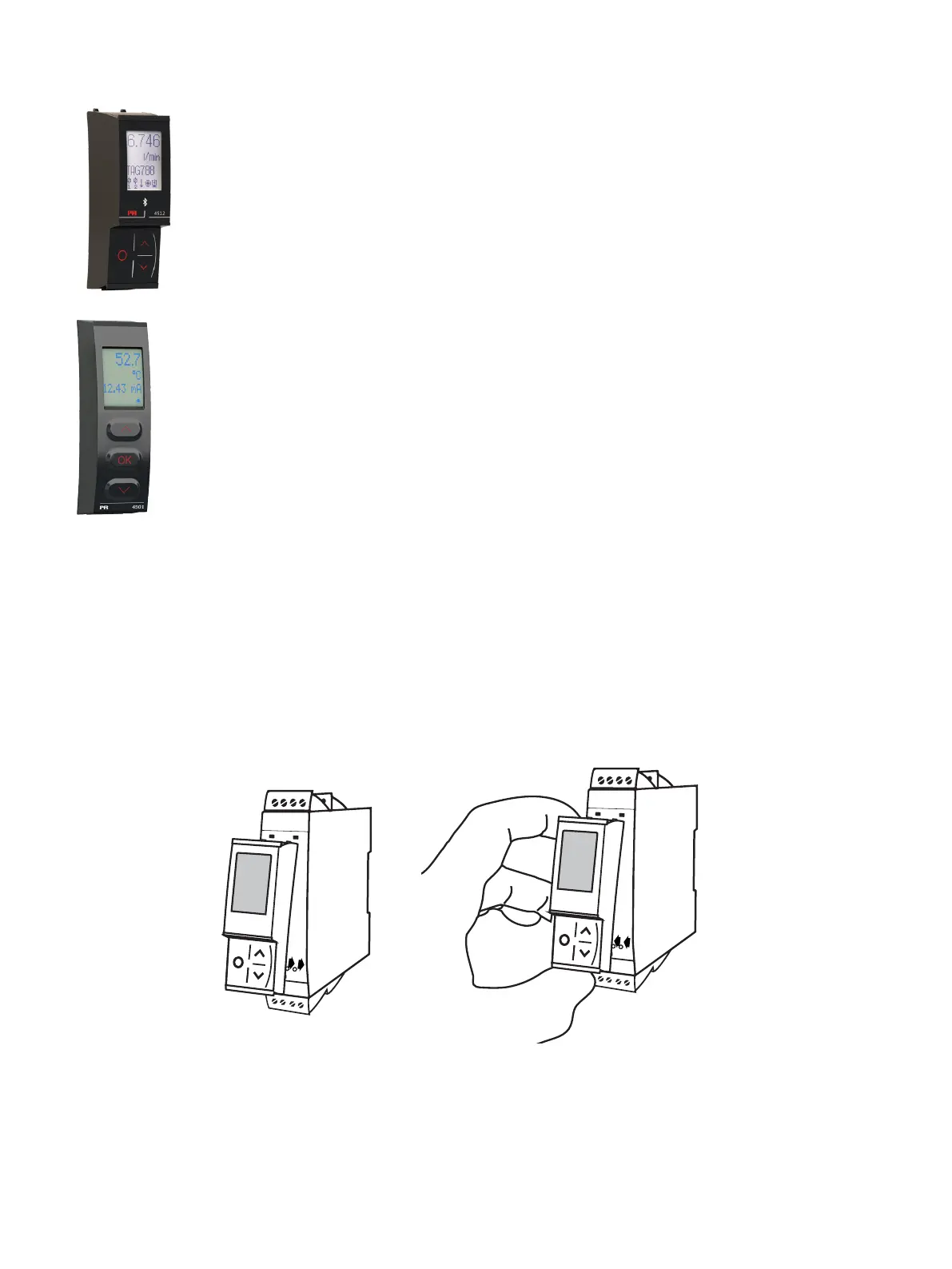
PR 4500 display / programming front
Functionality
The simple and easily understandable menu structure and the explanatory help texts guide you
effortlessly and automatically through the configuration steps, thus making the product very easy to
use. Functions and configuration options are described in the section ”Configuration / operating the
function keys”.
Application
• Communications interface for modification of operational parameters in 4116.
• Can be moved from one 4116 device to another and download the configuration of the first unit to
subsequent units.
• Fixed display for readout of process data and status.
Technical characteristics
• LCD display with 4 lines:
Line 1 (H=5.57 mm) shows the input signal.
Line 2 (H=3.33 mm) shows the selected engineering unit.
Line 3 (H=3.33 mm) shows analog output or TAG no.
Line 4 shows status for communication and relays.
• Programming access can be blocked by assigning a password. The password is saved in the device
in order to ensure a high degree of protection against unauthorized modifications to the
configuration.
Mounting / demounting the PR 4500
1: Insert the tabs of the PR 4500 into the holes at the top of the device.
2: Hinge the PR 4500 down until it snaps into place.
Demounting of the PR 4500
3: Push the release button on the bottom of the PR 4500 and hinge the the PR 4500 out and up.
4: With the PR 4500 hinged up, remove from holes at the top of the device.



 To Next Page