EasyManua.ls Logo

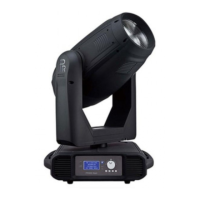
PR Lighting XLED 590 - User Manual

PR Lighting XLED 590
18 pages
Print Icon
To Next Page IconTo Next Page
Loading...
XLED 590
PR-8100
This product manual contains important information about the safe installation and use of this
projector. Please read and follow these instructions carefully and keep this manual in a safe place
for future reference.
PR LIGHTING LTD.
http://www.pr-lighting.com

Other manuals for PR Lighting XLED 590

Questions and Answers

  • R
    Ryan ThomasAug 1, 2025
    What to do if PR Lighting Equipment lamp is on but the projector doesn’t respond?
    • D
      Denise BowmanAug 1, 2025
      If the PR Lighting Equipment lamp illuminates but the projector fails to respond to the controller, ensure the projector is correctly configured. Additionally, try replacing or repairing the DMX cable.
  • D
    David SalazarAug 7, 2025
    Why is the beam dim on my PR Lighting XLED 590?
    • D
      David WallaceAug 7, 2025
      If the beam from your PR Lighting Equipment appears dim, verify that the optics are clean.
  • Q
    qbatesAug 13, 2025
    How to fix PR Lighting XLED 590 projector that doesn’t switch on?
    • S
      Stephanie SchmidtAug 13, 2025
      If the PR Lighting Equipment projector doesn’t switch on, check the fuse on the power socket.
  • L
    lewistinaAug 19, 2025
    What to do if PR Lighting Projector lamp comes on but doesn’t respond to the controller?
    • M
      Mary MoodyAug 19, 2025
      If the PR Lighting Projector's lamp illuminates but the controller doesn't elicit a response, ensure the projector is correctly configured. Additionally, consider replacing or repairing the DMX cable to resolve the issue.
  • A
    Anthony HarrisAug 26, 2025
    How to fix dim beam on PR Lighting Projector?
    • S
      Sarah FrazierAug 26, 2025
      If the beam appears dim on your PR Lighting Projector, verify that the optics are clean. This should help restore the beam's brightness.

Summary

Safe Usage of the Projector

General Safety Precautions

Essential safety measures for indoor use, ventilation, and avoiding hazardous situations.

Installation and Connections

Projector Installation

Steps for securely mounting the projector using clamps and safety cords.

Power Supply and Mains Connection

Guidelines for connecting the projector to the power supply, including earthing.

Projector Configuration and Setup

Projector Configuration Options

How to access and navigate the projector's setup menu for various options.

Setting DMX Start Address

Step-by-step guide to assign a unique DMX start address to each projector.

Operation Menu

DMX Protocol Specification

DMX Channel Mapping and Functions

Detailed breakdown of DMX channels, their functions, and value ranges for various modes.

Maintenance and Troubleshooting

Common Troubleshooting Solutions

Provides solutions for common issues like power failure or controller response problems.

PR Lighting XLED 590 Specifications

General IconGeneral
BrandPR Lighting
ModelXLED 590
CategoryLighting Equipment
LanguageEnglish

Related product manuals