EasyManua.ls Logo

PR Lighting PR-2203 XR 200 - User Manual

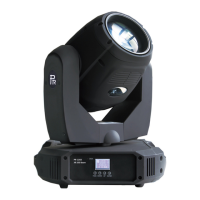
PR Lighting PR-2203 XR 200
20 pages
Print Icon
To Next Page IconTo Next Page
Loading...
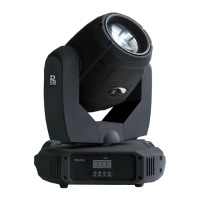
XR 200BEAM
PR-2203
This product manual contains important information about the safe installation and use of this
projector. Please read and follow these instructions carefully and keep this manual in a safe place
for future reference.
PR LIGHTING LTD.
http://www.pr-lighting.com

Questions and Answers

  • R
    Robert EdwardsAug 1, 2025
    How to fix a PR Lighting Lighting Equipment projector that doesn’t switch on?
    • J
      johnsonkarenAug 1, 2025
      If your PR Lighting Equipment projector doesn’t switch on, first check the fuse on the power socket. If the fuse is fine, try replacing the lamp.
  • B
    Brian WiseAug 9, 2025
    Why is the beam dim on my PR Lighting PR-2203 XR 200 Lighting Equipment?
    • B
      baxtercharlesAug 9, 2025
      If the beam on your PR Lighting Lighting Equipment appears dim, check that the optics are clean and the lens is in good condition (not cracked). If they are fine, replace the lamp with a new one of the specified type and rating.
  • C
    Christina BenitezAug 16, 2025
    How to fix a halo on a PR Lighting PR-2203 XR 200 projected image?
    • Q
      qwilliamsAug 17, 2025
      If the projected image from your PR Lighting Lighting Equipment appears to have a halo, make sure the lamp is installed correctly. Also, carefully clean the optical group lenses and the projector components.
  • J
    Justin KingAug 23, 2025
    What to do if my PR Lighting Lighting Equipment projector doesn’t respond to the controller?
    • M
      Mercedes AndersonAug 23, 2025
      If the lamp comes on but your PR Lighting Lighting Equipment projector doesn’t respond to the controller, ensure that the fixture’s start address is correct. If the issue persists, replace or repair the XLR signal cable.

Summary

SAFE USAGE OF THE PROJECTOR

INSTALL THE PROJECTOR

FITTING THE LAMP

POWER SUPPLY-MAINS

CONTROL CONNECTION

DMX TERMINATOR

SETUP OPTIONS-PROJECTOR CONFIGURATION

TO SET THE DMX START ADDRESS

Set the DMX start address for correct projector response to control signals.

STAND-ALONE MODE

MASTER;SLAVE MODE

OPERATION MENU

INFO (Information)

TEST (Test Modes)

REPLACING GOBOS

DMX PROTOCOL

INDICATION OF LED DIGITAL TUBE

MAINTENANCE

LUBRICATION

Periodic lubrication of bearings for rotating gobos and focusing lens holder.

KEEPING THE PROJECTOR CLEAN

Regular cleaning of fans, lenses, and dichroic colour filters for optimal performance.

TROUBLESHOOTING

TECHNICAL DATA

ELECTRICAL DIAGRAM

COMPONENT ORDER CODES

PR Lighting PR-2203 XR 200 Specifications

General IconGeneral
TypeMoving Head
Pan Range/Pan540°
Tilt Range/Tilt270°
Control ProtocolDMX512
Input Voltage100-240V AC, 50/60Hz
FocusMotorized focus
Dimmer0-100% linear dimmer
DMX Channels16/20 channels
Prism8-facet

Related product manuals