EasyManua.ls Logo

PR Lighting PR5000 - User Manual

PR Lighting PR5000
21 pages
Print Icon
To Next Page IconTo Next Page
Loading...
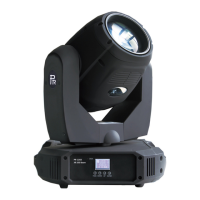
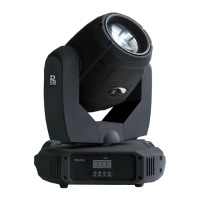
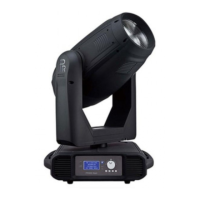
PR5000 Wash Beam
This product manual contains important information about the safe installation and use of this
projector. Please read and follow these instructions carefully and keep this manual in a safe place
for future reference.
PR LIGHTING LTD.
http://www.pr-lighting.com

Questions and Answers

  • K
    Kristine ClarkJul 31, 2025
    How to fix a PR Lighting PR5000 projector that doesn’t switch on?
    • B
      Brianna SullivanJul 31, 2025
      If your PR Lighting Lighting Equipment projector doesn’t switch on, check the fuse on the power socket. If that's not the issue, try replacing the lamp.
  • J
    John BeardAug 5, 2025
    Why is the beam dim on my PR Lighting PR5000 Lighting Equipment projector?
    • A
      Andrea FordAug 5, 2025
      If the beam appears dim on your PR Lighting Lighting Equipment projector, check if the optics are clean and the lens is in good condition (not cracked). You may also need to replace the lamp with a new one of the specified type and rating.
  • S
    Stephen ColemanAug 10, 2025
    What to do if my PR Lighting PR5000 projector has a defective projection?
    • M
      Melissa MillerAug 10, 2025
      If your PR Lighting Lighting Equipment projector has a defective projection, ensure the lamp is within its life limit. Also, remove any dust or grease from the lenses.
  • S
    Samuel PerkinsAug 15, 2025
    What to do if PR Lighting Lighting Equipment projector lamp is on but not responding to the controller?
    • S
      Sara WilliamsAug 15, 2025
      If the lamp of your PR Lighting Lighting Equipment projector comes on but the projector doesn’t respond to the controller, make sure that the fixture’s start address is correct. If the issue persists, replace or repair the DMX cable.
  • G
    gregoryvelasquezAug 20, 2025
    Why does my PR Lighting Lighting Equipment projector only function intermittently?
    • A
      Andrea AustinAug 21, 2025
      If your PR Lighting Lighting Equipment projector only functions intermittently, make sure the fan is working well and that the fans and their filters are not blocked.
  • J
    Jessica CurtisAug 26, 2025
    How to fix a halo effect on my PR Lighting PR5000 projector image?
    • V
      victoria01Aug 26, 2025
      If the projected image from your PR Lighting Lighting Equipment projector appears to have a halo, ensure the lamp is installed correctly. Additionally, carefully clean the optical group lenses and the projector components.

Summary

Safe Usage of the Projector

Environmental and Location Safety

For indoor use only, ensure adequate ventilation, avoid inflammable surfaces, keep away from moisture.

Electrical Safety and Connections

Ensure correct earthing, voltage, frequency. Electrical work by qualified personnel only.

Installing the Projector

Mounting and Securing

Mount using clamps and safety cords, ensure structure security, use handles for lifting.

Fitting the Lamp

Replace lamp after cooling, unlock yoke, remove back cover, fit new lamp carefully.

Power Supply and Mains Connection

Electrical Installation Requirements

Ensure correct earthing and adherence to all relevant electrical standards.

Control Connections

Setup Options and Projector Configuration

Setting the DMX Start Address

Assign a unique DMX start address to each projector for correct control signal response.

Operation Menu Navigation

Operation Menu Structure

Operation Menu Details

Operation Menu Advanced Options

Error Messages

Error Code Descriptions

Lists sensor errors and their corresponding messages related to component failures.

Replacing Gobos

DMX Protocol

DMX Channel Functions (Part 1)

Details DMX channels for Strobe, Dimmer, CYM, and CTO functions.

DMX Channel Functions (Part 2)

Details DMX channels for CTO Fine, Colour Wheel, and Fixed Gobo Wheel.

DMX Protocol Details

DMX Channel Functions (Part 3)

Covers Colour Wheel, Fixed Gobo Wheel, Zoom, Pan, Tilt, and Pan & Tilt speed.

Maintenance

Troubleshooting Guide

Common Problems and Solutions

Provides solutions for issues like power, controller response, intermittent function, defective projection, halo, and dim beam.

Technical Data

Technical Specifications

Electrical Wiring Diagram

System Component Connections

Illustrates the interconnection of major components like PCBs, motors, fans, lamp, ballast, and power supply.

Component Order Codes

PR Lighting PR5000 Specifications

General IconGeneral
BrandPR Lighting
ModelPR5000
CategoryLighting Equipment
LanguageEnglish

Related product manuals