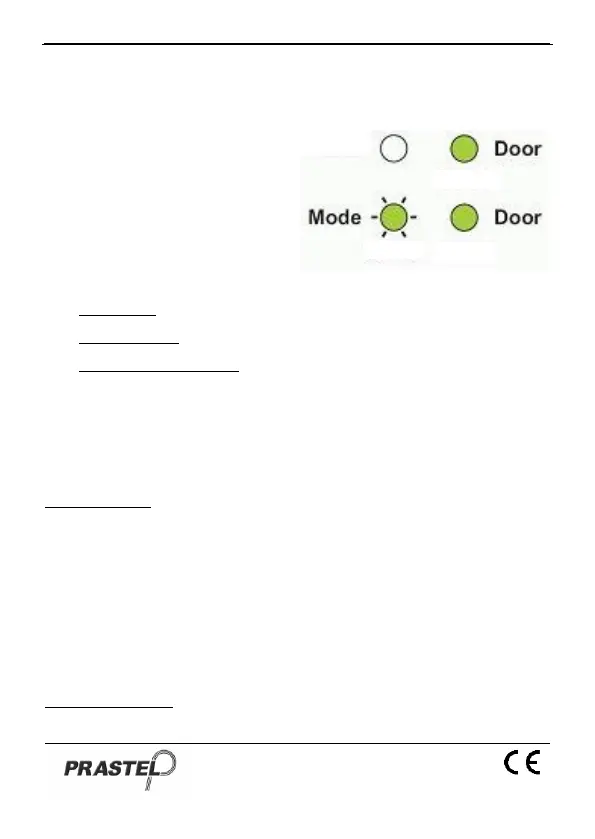
16. Setting Fail Safe/Secure Operation and Lock
Strike Release Time
1. Enter Programming Mode
2. Press "6" to enter Menu 6:
the Mode LED will flash
green.
3. Construct the 4-digit code
using the instructions
below:
First Digit: 0 for Fail Secure, 1 for Fail Safe
Second Digit: 0.
Third and Fourth Digit: Lock Strike Time, enter 1 to 99 seconds
For example: 0 0 1 2 means: Fail Secure Operation, with a 12
second Lock Strike release time.
17. Enrolling Primary & Secondary Codes
Primary Codes
Primary Codes can only be enrolled to an empty User Slot,
i.e. a slot where there is no existing Primary Code.
Primary Codes must be unique, i.e. one user Primary Code
may not be the same as another user Primary Code.
Primary Codes cannot be the same as any system codes,
such as the Normal / Secure Code or Open Code.
Users who hold a Primary Code can gain entry during Normal
and Bypass modes
Secondary Codes


 To Next Page