19.2 Relay Code Assignment using the Code Search Method
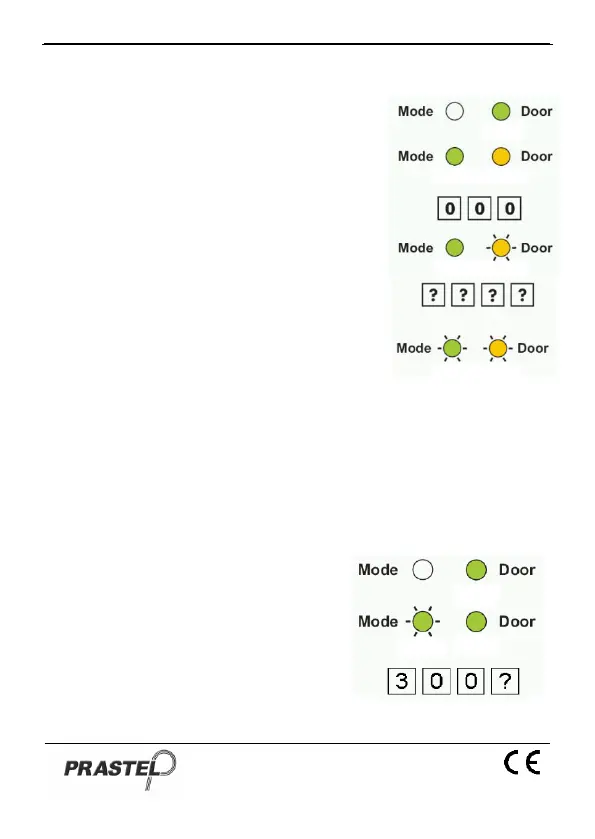
1. Enter Programming Mode
2. Press "9" to enter Menu 9: The Mode
LED will turn green.
3. Enter the 3-digit User Slot 000: The
Door LED will flash orange.
4. Enter the 4-digit PIN Code of the
Primary Code belonging to the user
you want to assign a code to: The
Mode LED will flash green.
5. Enter the assignment digit for the
current User Slot:
"1" assigns the Lock Strike Relay
only
"2" assigns the Auxiliary Strike
Relay only
"3" assigns the Lock Strike and Auxiliary Relay
6. If the assignment digit is valid, three beeps are heard and the
controller returns to Normal mode. If the assignment digit is
invalid, a long beep sounds and the controller waits for another
assignment digit to be entered.
20. Enabling or Disabling the built-in keypad heater
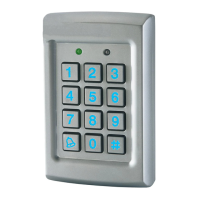
The EASYBKA/R contains a built-in keypad heater. When is enabled the
keypad heater will activate when the
ambient temperature drops to approx. 3
C to 5 C and will remain active until the
keypad temperate rises to approx. 6 C to
9 C.
When the heater is enabled the
EASYBKA/R is lowest operating
temperature is -20 C, otherwise is 0°C;
When the built-in keypad heater is active it will require additional power.


 To Next Page