5. Modes of Operation
The EASYBKA/R has 3 Modes of Operation:
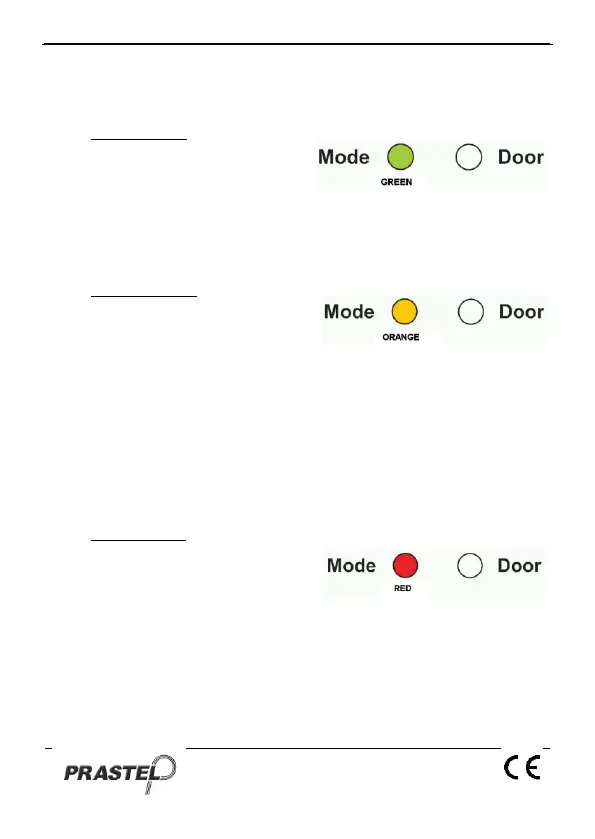
1. Normal Mode
Normal Mode is the default mode
and the Mode LED is green. In
Normal Mode the door is locked
until a Primary Code is presented to the controller. Special codes such
as "Open Code" and "Auxiliary Code" are active in Normal mode. (see
par. 9 and 11).
2. Bypass Mode.
In Bypass mode the Mode LED is
orange. In Bypass Mode, access to
the premises is dependent on
whether the controller's Lock Strike Relay is programmed for Fail Safe
Operation or Fail Secure Operation.
When the Lock Strike Relay is programmed for Fail
Secure Operation, the door is locked until the Door Bell Button
is pressed.
When the Lock Strike Relay is programmed for Fail Safe
Operation, the door is constantly unlocked.
3. Secure Mode
In secure mode the LED is red. Only
Secure and Master Users can
access the premises during the
Secured Mode.
A Secure User must enter their Primary and Secondary Codes to gain
entry. After entering their Primary Code the Door LED will flash green
for 10 seconds, during which the Secondary Code must be entered.
A Master User only needs to present their PIN code once to gain entry.


 To Next Page