Page 16
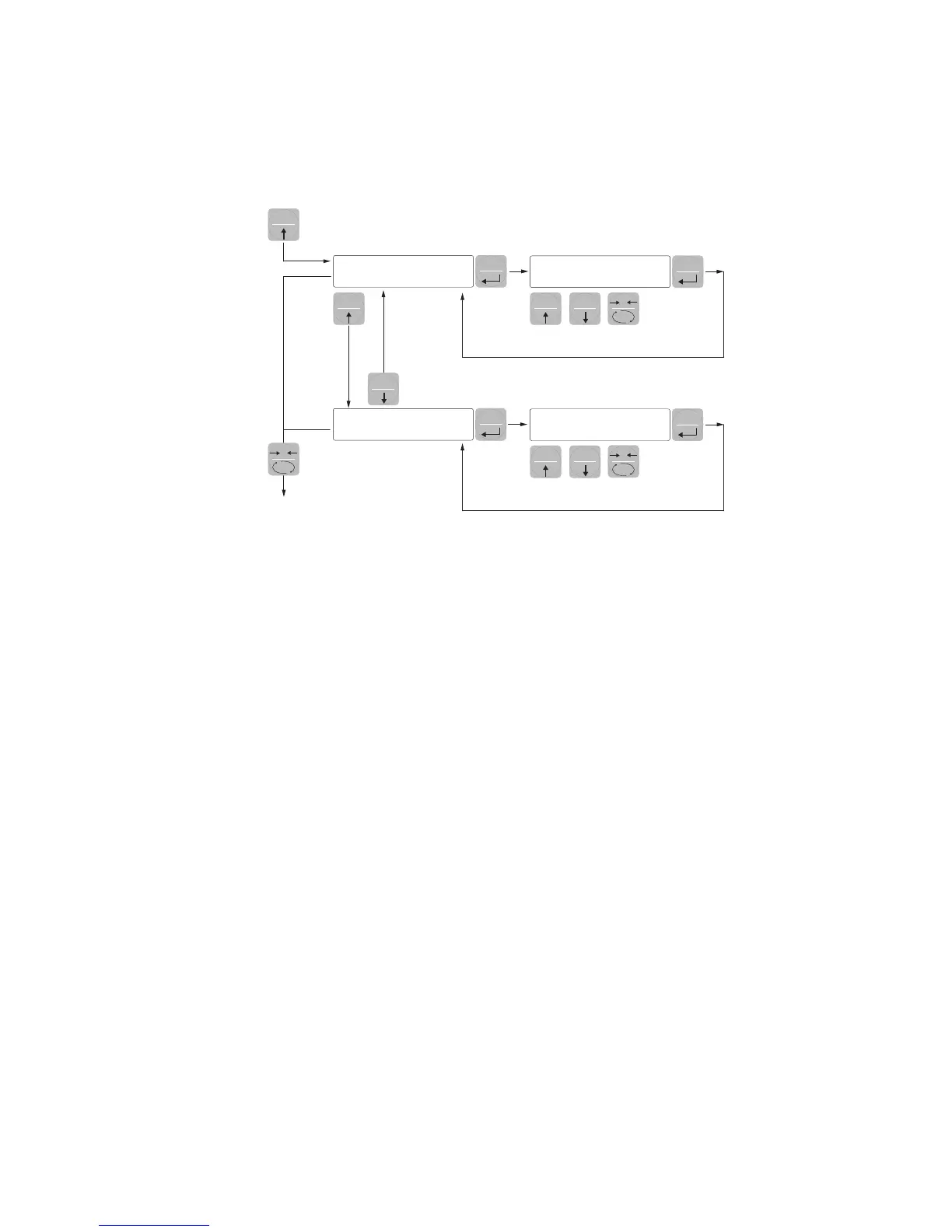
sEt 1
123456
SEt 2
123456
Increment
digit
Change
selected digit
EXIT
0SETSET
FUN
FUN
PRG
PRG
SET FUN
PRG
PRG
0
SET
Increment
digit
Change
selected digit
0
PROGRAMMING THE WEIGHT SETPOINTS
The set setpoint values are compared with the weight to drive its logic output. The comparison criterion
is established in the process of set-up of the logic I / O (see relevant paragraph).
To access the Setpoint setting, press the SET key and follow the instructions on the table below.
During the step of setting the setpoints, both outputs are disabled. If the setpoint value in memory is 0,
the corresponding output is never enabled, regardless of the set-up of the selected setpoints. When the
weight is not detectable or out of range, all outputs are disabled (contact open or closed depending
on the MODE; see the relevant chapter).


 To Next Page