PRG
SET FUN
SET FUN
SET FUN
SET FUN
SET FUN
SET FUN
SET
FUN
PRG
Enter Value
PRG
PRG
Select Value
PRG
PRG
Enter Value
PRG
PRG
Select Value
PRG
PRG
Select Value
PRG
PRG
-0-
-Fs-
PRG
PRG
SET FUN
0
Set Offset
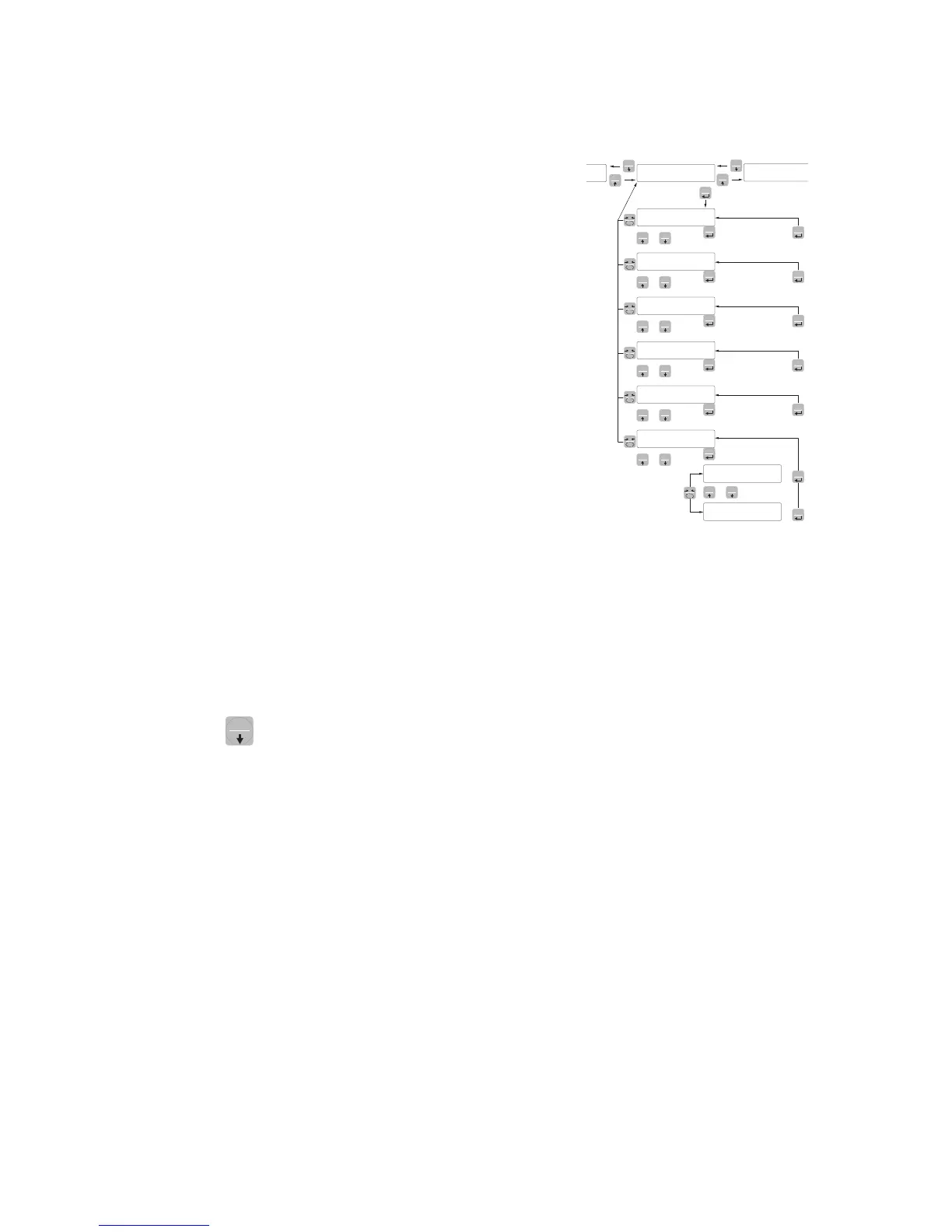
ANALOG - ANALOG OUTPUT PARAMETERS (DAT 400/A ONLY)
F-SCaL FULL SCALE
It’s the weight corresponding to the full scale of the analog output
that can be different from the capacity of the weighting system.
Value to be set from 000 to 99999.
Default: the same value of the CAPACITY parameter
NodE ANALOG OUTPUT OPERATION MODE
Selection of the value to be associated to the analog output, corre-
sponding to the net weight, gross weight or the peak value.
Value to be selected:
NET
GROSS
PEAK
Default: GROSS
AnZEro ZERO VALUE OF THE ANALOG OUTPUT
Analog value related to the full scale of the analog output to be
subtracted.
tEst ANALOG OUTPUT TEST PROCEDURE
With this procedure it is possible to check the operation of the analog
output, causing the output value through the use of the keyboard.
The display shows the percentage of the output value than the full
scale set.
Use the SET and
FUN
keys to increase/decrease the output value.
ranGE ANALOG OUTPUT RANGE
Select the analog output range.
Value to be selected:
0÷20mA
4÷20mA
0÷10Vdc
0÷5Vdc
Default: 4÷20mA


 To Next Page