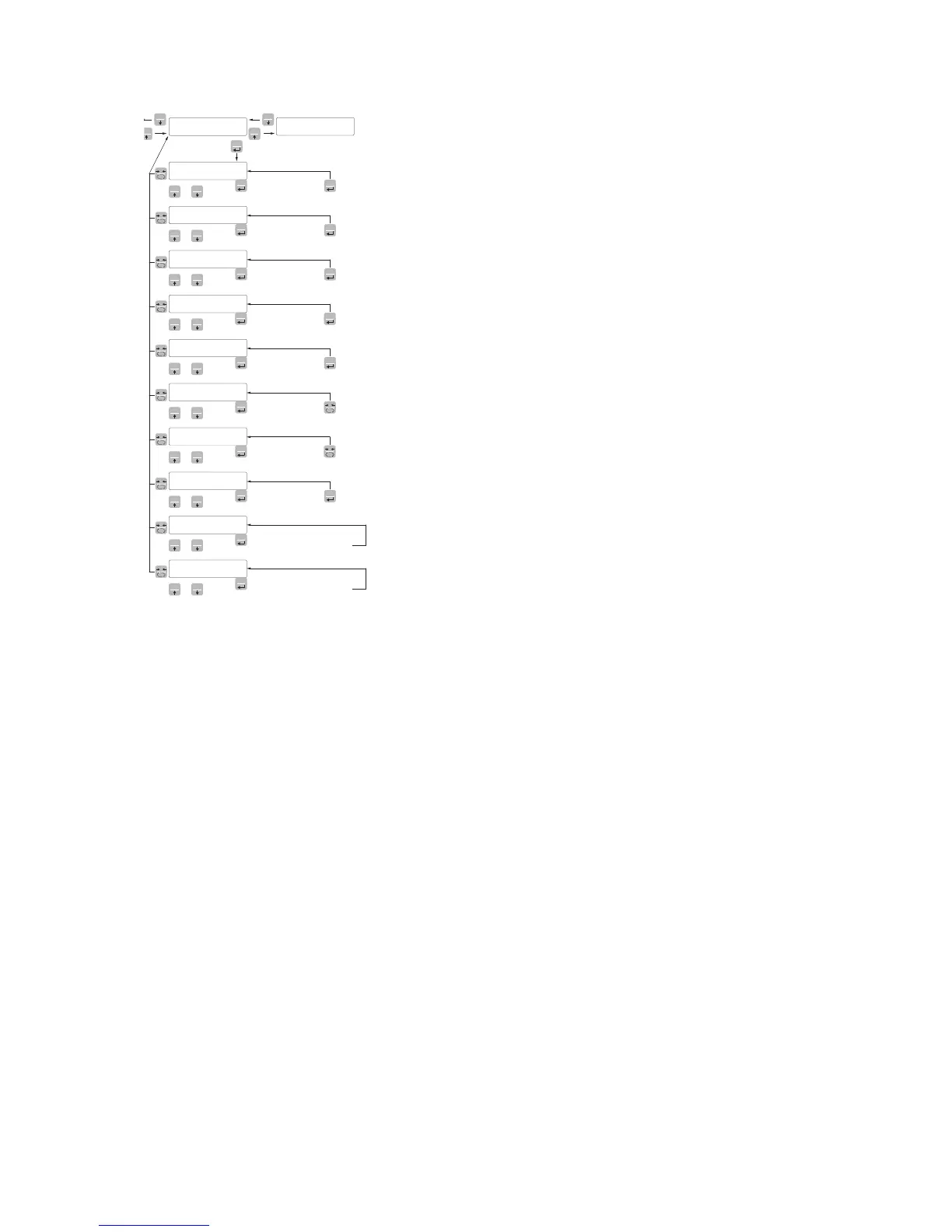
FUN
PRG
Enter Value
PRG
PRG
Enter Value
PRG
PRG
Enter Value
PRG
PRG
Enter Value
PRG
PRG
Select Value
PRG
PRG
Read Value
PRG
Read Value
PRG
Select Value
PRG
PRG
PRG
Transmit setup data
to serial port
0
0
Receive setup data
from serial port
NEt CAPACITY OF THE WEIGHING SYSTEM
Programming the net capacity of the weighing system. Values lower
than 1/10 of CAPAC are not accepted.
Values: from 1 to 500000
Unit: the same of that displayed
Default: 10000
dEad L FIXED CALIBRATION OF THE WEIGHING SYSTEM
Programming the fixed calibration value of the weighing system.
Values: from 1 to 500000
Unit: the same of that displayed
Default: 00000
dsPdIJ DIVISION VALUE
The ratio between the capacity of the system and the division value
represents the resolution of the system (number of divisions).
Following the change of the capacity of the system, it is automatically
selected the division value to the best of 10000 divisions.
Following the change of the division value, if the maximum capa-
city does not change, the calibration of the weight is automatically
corrected.
Value to be selected:
0.0001 - 0.0002 - 0.0005
0,001 - 0,002 - 0,005
0.01 - 0.02 - 0.05
0.1 - 0.2 - 0.5
1 -2 - 5
10 - 20 - 50
Default: 1
S1GnaL TESTING THE LOAD CELLS SIGNAL
It’s displayed the signal acquired from the load cells expressed in
mV/V.
CoUnts A/D CONVERTER INTERIOR POINTS TEST
View of the interior points of the instrument (1,000,000 at the ma-
ximum input signal).
oPNodE SELECTION OF THE OPERATING MODE
Selection of the operating mode of the device (display) when it is
switched on:
Value to be selected:
GROSS, NET, PEAK
Default: GROSS


 To Next Page