page 14
and : The arrow keys let you:
• answer specific prompts by letting you decrease and increase the
numerical displays prior to pressing ENTER
• decrease or increase the recumbent cycle’s gear settings
• alternate between customizing a course (programs “7” or “8”) or using the
same custom course
Note: When you change a custom course (programs “7” or “8”), the
and keys affect the course profile. The GEAR setting remains
constant.
• alternate between selecting a particular unit of measure (“U.S. Standard”
or “Metric”)
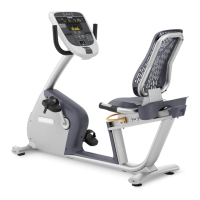
How to Use Your M8.2E/L Personal Recumbent Cycle Trainer
Before using your recumbent cycle, we recommend that you follow these
instructions and go through a preliminary demonstration of the recumbent
cycle.
When using the recumbent cycle, follow these general guidelines:
• At the beginning of a workout, take several minutes to bring your heart rate
into your training zone, which is shown in Diagram 12 later in this manual.
• After your workout, pedal the recumbent cycle slowly for several minutes to
cool down your body and lower your heart rate.
• Gently stretch your lower body and back after a workout to help prevent
stiffness or soreness.
Pausing Your Workout
You can pause anytime during your workout. Use this feature to rest or take a
short break (less than 10 minutes).
To pause while working out, stop pedaling. Your workout statistics freeze and
remain displayed on the console until you resume pedaling. Once you resume
pedaling, the workout statistics count continues from where you left off.
If you pause for more than ten minutes, the recumbent cycle’s software adds
your workout statistics to the cumulative totals and “Precor M8.2E/LR” begins
scrolling across the display. Do not rely on the Pause feature as a way to end
your workout. If you wish to end your workout, follow the instructions in the next
section,
Ending Your Workout
.
Important: You cannot pause during the Fitness Test (program “11”). If you
pause, the Fitness Test automatically becomes invalid and you are not
assigned a fitness score.







 To Next Page