24 Assembling and Maintaining TRM 800-Series Treadmills
7. Route the cable assembly through the cable guides in the
fairing, then wrap the guides around the cable assembly
to secure it. Push any extra cable into the upright support.
Note: In the following step, use the zinc-finish buttonhead
screws and flat washers from the hardware kit.
Important: Do not wrench-tighten the fasteners in the
following step until the unit has been fully assembled. Make
sure the fasteners do not pinch any cables. The Precor Limited
Warranty does not cover cables damaged by improper
installation.
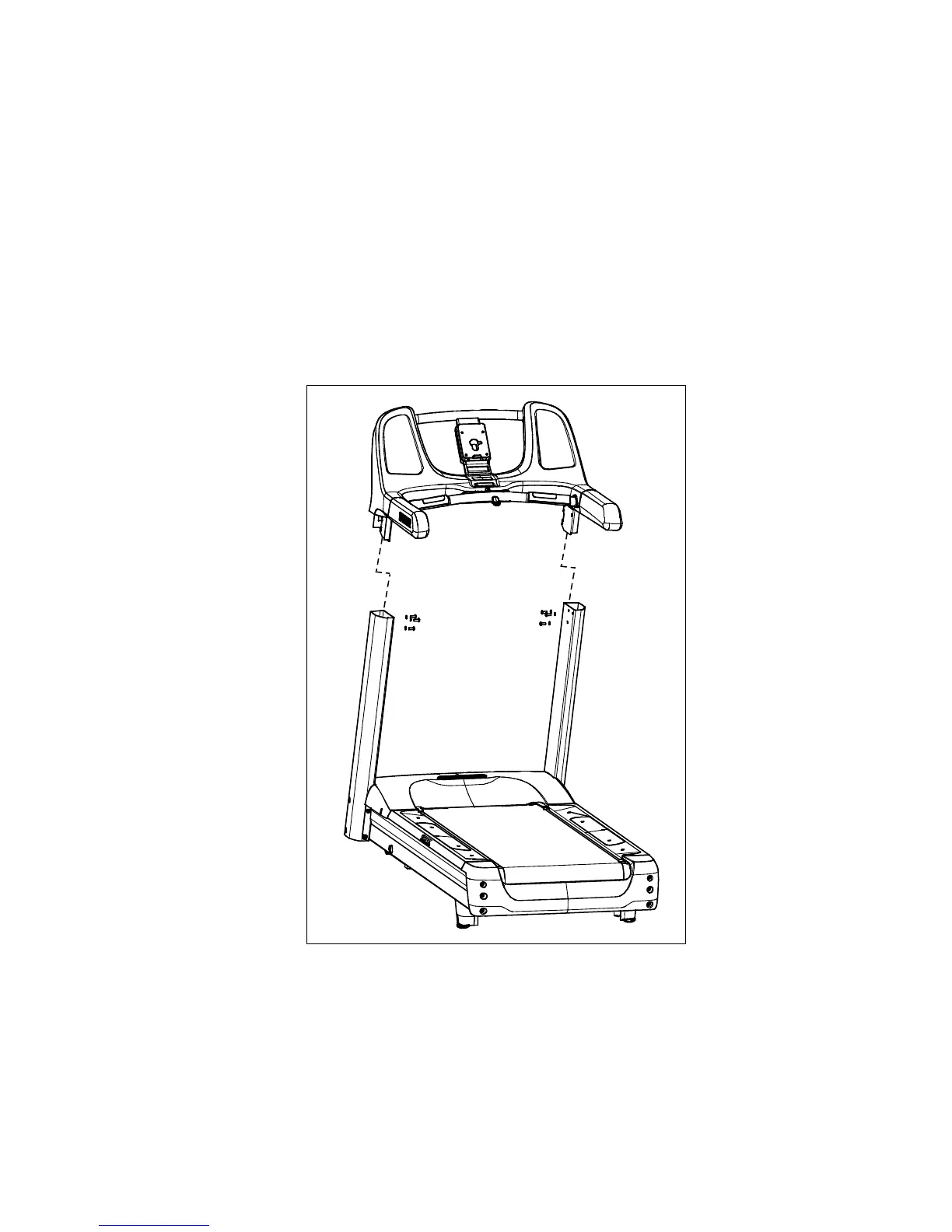
8. Secure the fairing assembly using six buttonhead screws
and six washers. Partially tighten the fasteners.
Figure 10: Handrail and console assembly attachment
9. Position the ferrite bead on the lower unit data cable
inside the left arm of the fairing and secure it in place
using a plastic tie.






 To Next Page