EasyManua.ls Logo

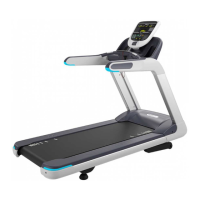
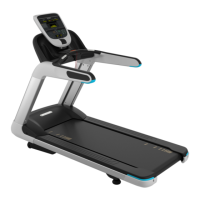
Precor TRM 885.v2 - User Manual

Precor TRM 885.v2
114 pages
Print Icon
To Next Page IconTo Next Page
Loading...
© Precor Incorporated, Unauthorized Reproduction and Distribution Prohibited by Law Page 1
Service Manual

Table of Contents

Questions and Answers

  • J
    Joshua SandersAug 2, 2025
    How to reset the Active Status Light (ASL) on Precor Treadmill when it's solid yellow?
    • V
      Veronica JohnsonAug 2, 2025
      If the Active Status Light (ASL) on your Precor Treadmill is solid yellow, it indicates a non-fatal electronic/electrical issue. You can reset the ASL to solid blue by cycling power to the treadmill, using the Active Status Light submenu in the Hardware Validation menu, or by clearing the error code log.
  • R
    Rachel ShannonAug 8, 2025
    How to reset PM belt maintenance reminder on Precor TRM 885.v2?
    • D
      David JohnsonAug 8, 2025
      To reset the maintenance reminder on your Precor Treadmill when the Active Status Light (ASL) is pulsing blue, access Maintenance Test, then Treadmill Maintenance. Press and hold QUIKSTART until '1000 Miles' is displayed.
  • J
    John HallAug 14, 2025
    What to do if the Active Status Light (ASL) on my Precor Treadmill is yellow and pulsing?
    • D
      diana46Aug 14, 2025
      If the Active Status Light (ASL) on your Precor Treadmill is pulsing yellow, it means an error has occurred or is occurring. Allow the Motor Controller (MC) to attempt to resolve the issue. If the problem persists, service is required.
  • S
    sheltontinaAug 20, 2025
    What does it mean if the Motor Controller Light (MCL) on my Precor TRM 885.v2 Treadmill is yellow?
    • G
      Gina HuffmanAug 20, 2025
      A yellow Motor Controller Light (MCL) on your Precor Treadmill indicates a fault has occurred. Troubleshooting is required. The MCL can only be reset to green through the diagnostics menus.
  • L
    Luis AlvarezAug 26, 2025
    What to do if Active Status Light (ASL) is pulsing blue on Precor Treadmill?
    • J
      Jennifer HortonAug 26, 2025
      If the Active Status Light (ASL) on your Precor Treadmill is pulsing blue, this indicates a problem with the running belt/deck. Belt/deck servicing or replacement is needed.

Summary

General Information

Lubricants

Guidelines on proper lubricants for treadmill components, avoiding degradation of surfaces.

Electrical Requirements

Specifies power connections, circuit requirements, and voltage considerations for safe operation.

Power Input Specifications

Details operating voltage and frequency ranges for 120V and 230V systems.

Safety Guidelines

Operation & Features

Operation Verification

Steps to check basic treadmill operation and a checklist to confirm system functionality.

Service Access Codes and Modes

How to access diagnostic modes and specific settings like validation and parameters.

Theory of Operation - Consoles

Basic functions and communication of the treadmill consoles.

Diagnostics and Indicators

Explanation of status lights (MCL, ASL) and diagnostic indicators.

Drive System Monitoring

Monitors and detects overloads in the drive system's input current and motor temperature.

Lift Drive Motor Operation

Explains the lift motor's role in changing incline and its operation and overload protection.

Drive Motor Operation

Details the AC drive system and how the motor controller manages speed and torque.

Auto-Stop Feature

Description of the automatic safety feature that stops the treadmill when abandoned.

Troubleshooting

Introduction to Troubleshooting

Methodology for identifying and isolating system issues and problems.

Troubleshooting Tripped Breakers

Steps to diagnose and resolve issues related to tripped circuit breakers.

Troubleshooting No Power to Console

Procedures for diagnosing and resolving issues with no power to the console.

Error Codes and Troubleshooting

Explanation of error generation, logging, error table, and troubleshooting for various error categories.

Troubleshooting Specific Systems

Detailed troubleshooting for drive motor system, incline system, and communications errors.

Belt and Deck Wear Troubleshooting

Procedure to determine belt and deck condition using belt rating.

Heart Rate Issues Troubleshooting

Steps to diagnose and fix problems with hand-held or wireless heart rate monitoring.

Service & Maintenance

Replacement Procedures

Instructions for removing and replacing components like covers, motors, belts, and decks.

Adjustment Procedures

Steps for adjusting drive belt tension, running belt tension/tracking, and calibrating the lift motor.

Preventive Maintenance Schedule

Outlines the schedule for daily, weekly, monthly, and quarterly maintenance tasks.

Running Belt and Deck Cleaning

Procedure for cleaning the running belt and deck surfaces.

System Diagrams and Parts

System Block Diagram

Electrical schematic illustrating system components and connections.

Exploded View and Parts List

Visual diagrams of parts and a list for identifying and ordering components.

Precor TRM 885.v2 Specifications

General IconGeneral
Heart Rate MonitoringContact and wireless telemetry
Weight Capacity400 lbs
Motor4 HP AC
Speed Range0.5 - 12 mph
Incline Range0% - 15%
Display15-inch touchscreen

Related product manuals