Page 15
For technical questions, please call 1-888-866-5797.
ITEM 70143
SAFETYOPERATIONMAINTENANCE SETUP
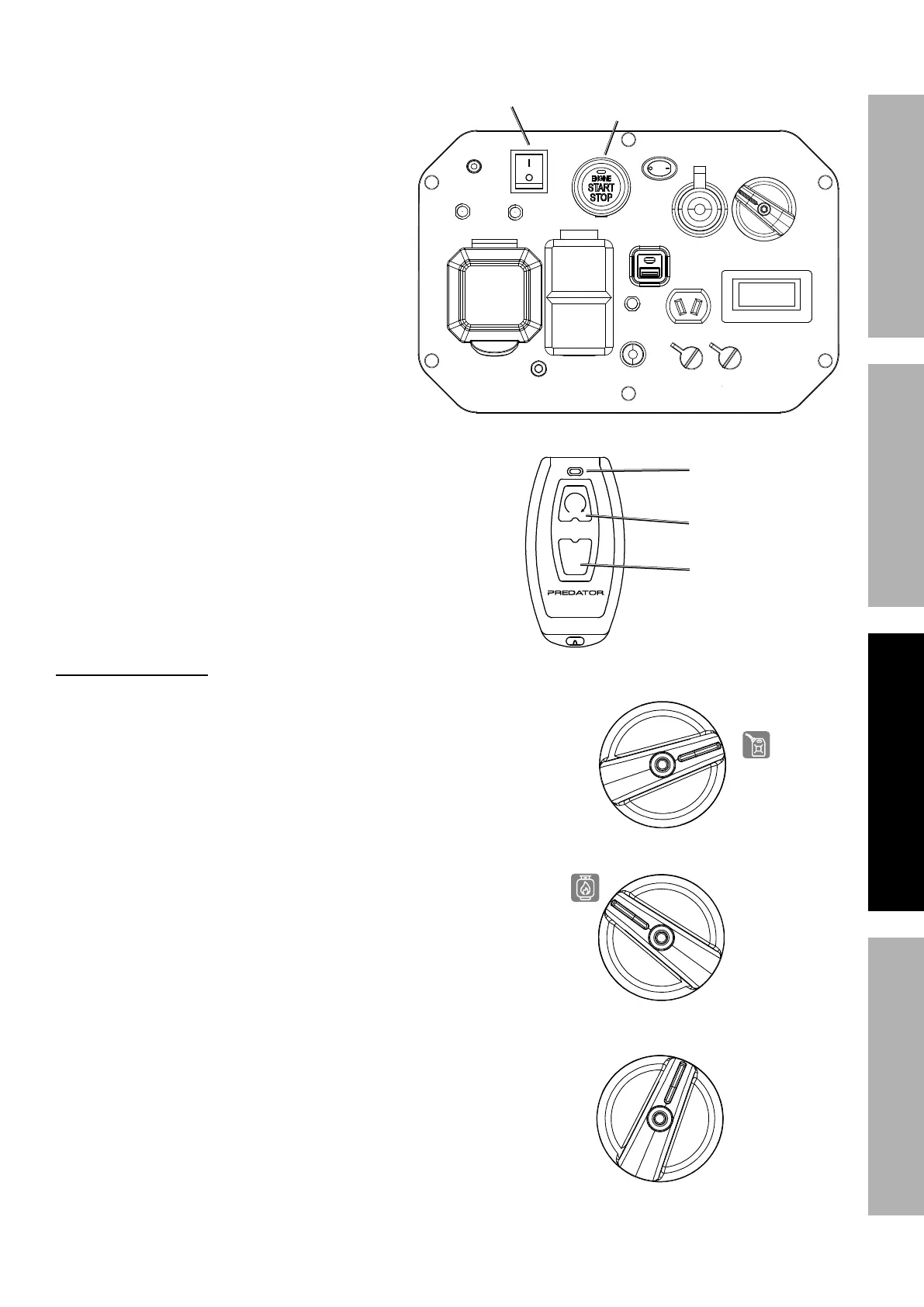
Reprogramming the Start/Stop Remote Control
If the Start/Stop Remote Control is
replaced or needs to be paired to the
generator, follow this procedure:
1. Push the Engine/Battery Switch to the
ON position.
2. Push and hold the Engine Start/
Stop Switch for 10 seconds until
the Switch Indicator Light flashes
green, then release the Switch.
3. Push the 2x button on the Stop/Start Remote
Control. It will pair with Generator and the Switch
Indicator Light on the Generator will stop flashing.
Fuel Selector Switch
Turn the Fuel Selector Switch on the Control
Panel to the desired fuel setting.
1. To operate the Generator on gasoline turn the Fuel Selector
Switch fully to the right to the GASOLINE setting.
2. To operate the Generator on LPG / Propane turn the Fuel
Selector Switch fully to the left to the PROPANE setting.
3. When the Generator is not in use turn the Fuel Selector
Switch to the OFF / STORAGE position to turn off gasoline
and LPG / Propane fuel flow to Engine.
Engine / Battery
Switch
Engine
Stop / Start
Switch
OFF
2x
Remote Control
Activation Light
OFF Button
ON (2x) Button
GASOLINE
PROPANE
OFF /STORAGE


 To Next Page