
 Need help?
Do you have a question about the Predator PO5-640 and is the answer not in the manual?
Covers essential safety, ESD precautions, and required tools before computer component upgrades.
Detailed steps for removing and installing left and right system covers for PC internal access.
Visual identification of key components like CPU, RAM, SSDs, VGA, and PSU within the computer.
Instructions for removing and installing 3.5-inch SATA hard drives in the computer's internal HDD cage.
Covers memory configuration, removal, and installation of DDR5 U-DIMM modules with usage guidelines.
Comprehensive guide for removing and installing the graphics board in PCIe x16 slots.
Steps for removing and installing M.2 SSD modules in the M.2 PCIe slot, including thermal pad placement.
Instructions on how to remove the dust filter for cleaning or replacement purposes.
Procedures for removing the top cover and front bezel to gain access to internal computer components.
An overview of the PredatorSense utility's features: Home, Pulsar Lighting, Fan Control, and Monitoring.
Details on controlling and configuring motherboard LED lighting effects using the PredatorSense software.
 General
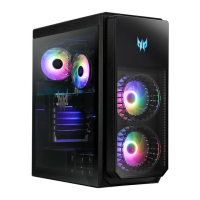
| Form Factor | Mid Tower |
|---|---|
| Color | Black |
| Drive Bays | 2 x 3.5" HDD, 2 x 2.5" SSD |
| Material | Plastic |
| Power Supply | 500W |

 To Next Page