Upgrading your Computer -
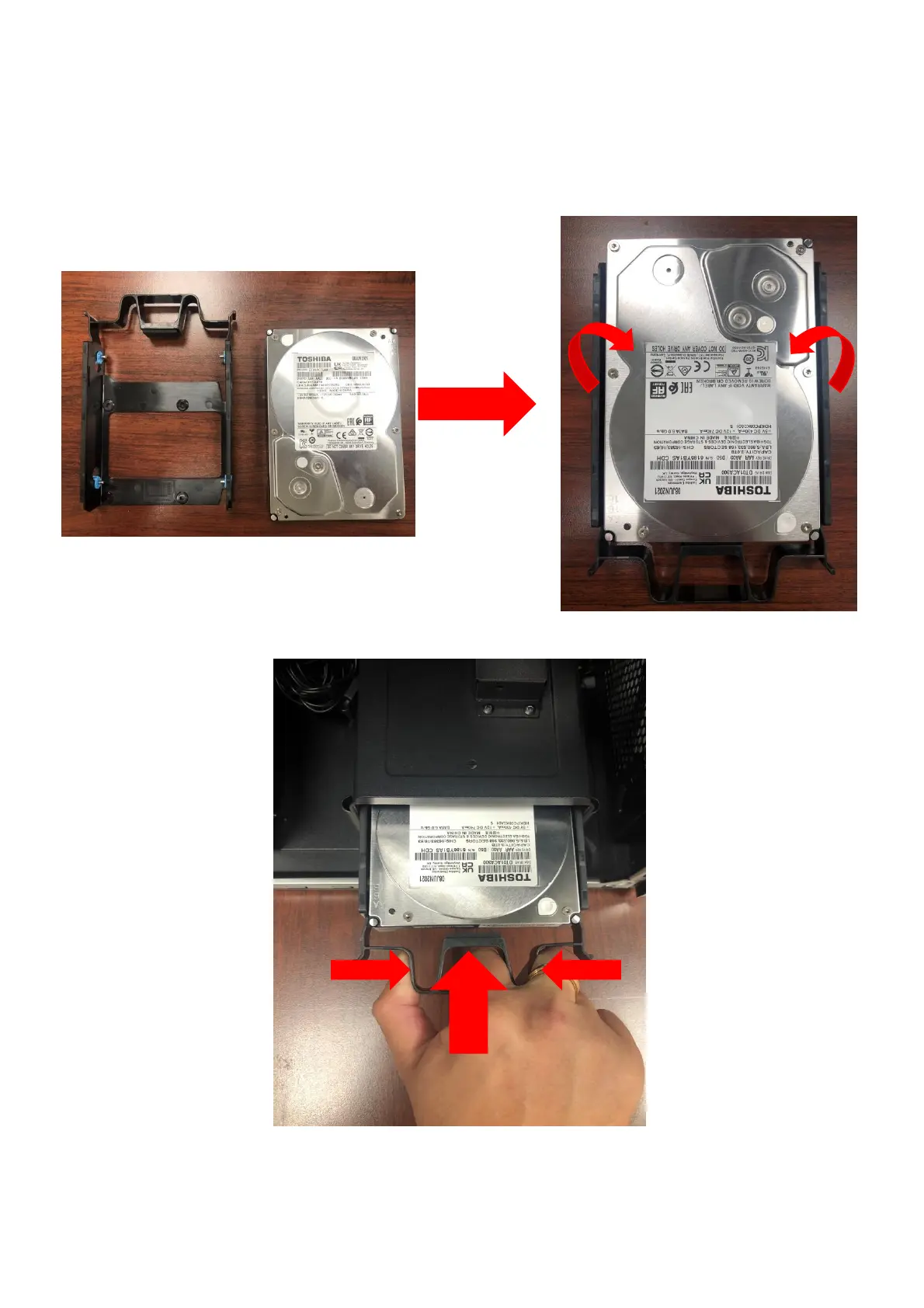
Installing the 3.5-inch hard drives
1.
Remove the new hard drive from their packaging.
2.
Insert the new hard drive into the black rack.
3.
Insert black rack into HDD cage.
4.
Observe the Post-installation instructions on page 6


 To Next Page