- Upgrading your Computer
M.2 SSD module
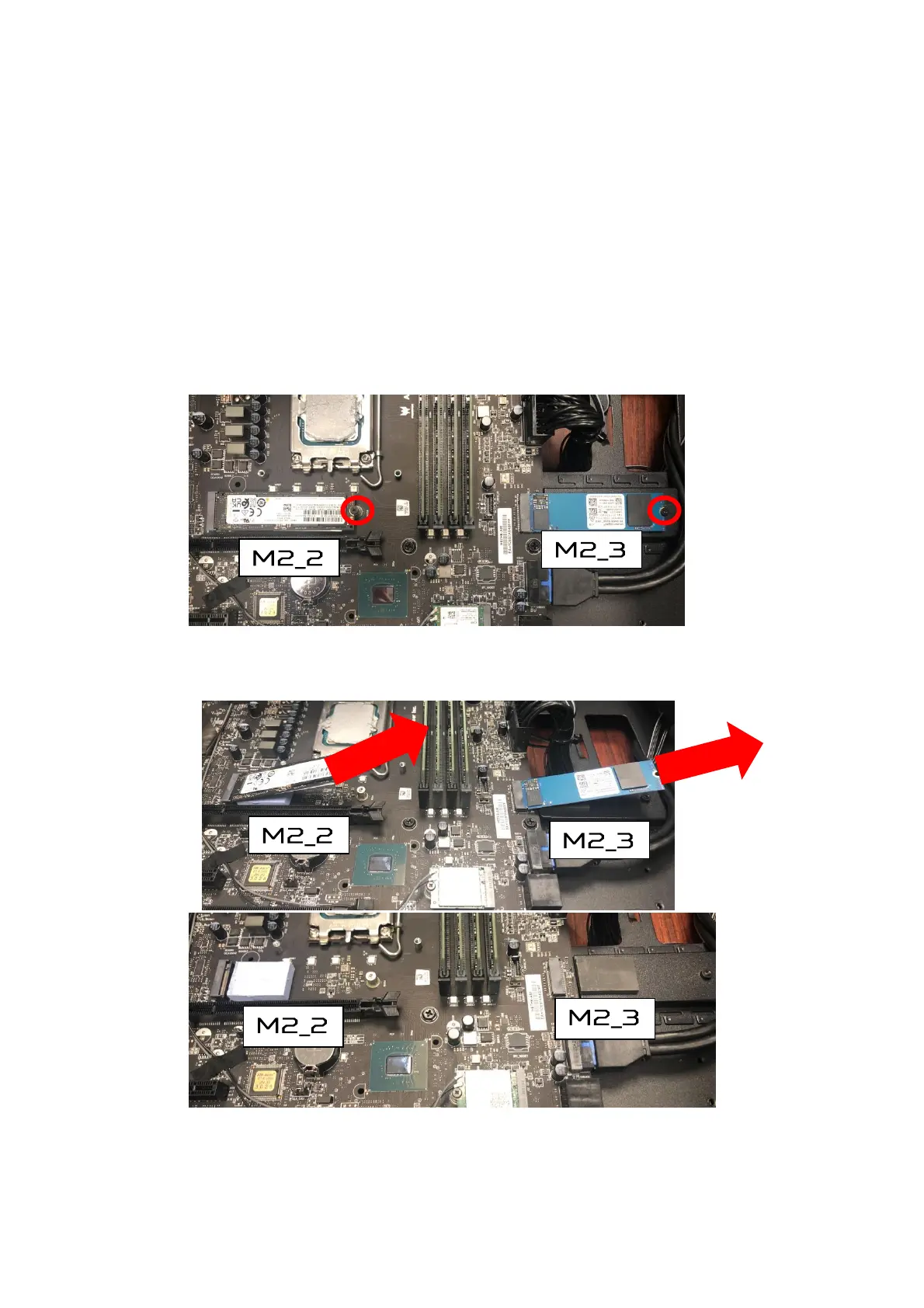
The computer contains one M.2 SSD module installed in the
M.2 PCIe slot.
Removing the M.2 SSD module
1.
Perform Pre-installation instructions on page 6.
2.
Remove the Graphics board. See Removing the
Graphics board.
3.
Remove the screw that secures the M.2 SSD module
from the mainboard.
4.
Detach the M.2 SSD module from the mainboard.


 To Next Page