Upgrading your Computer -
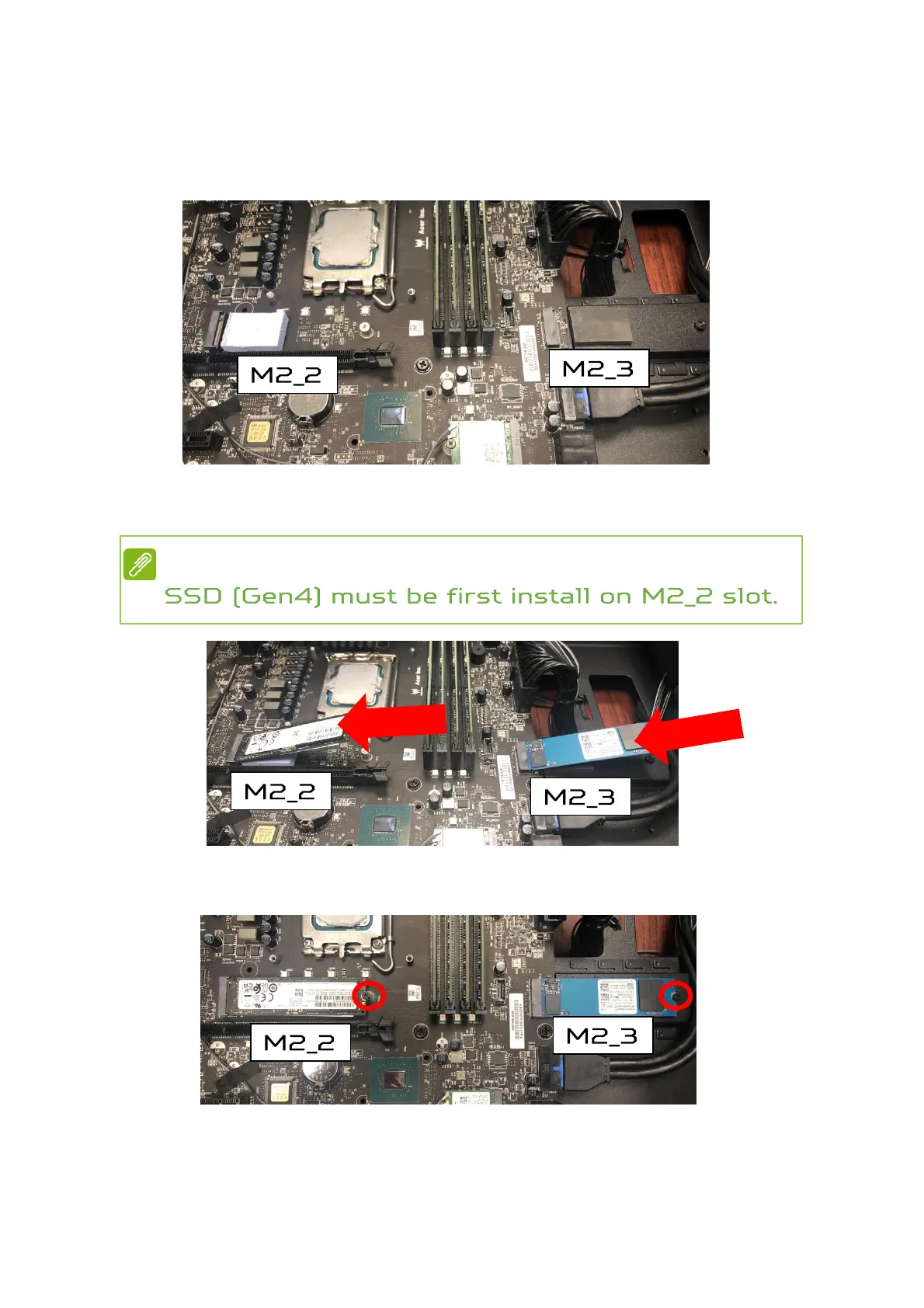
Installing the M.2 SSD module
1.
Remove the new M.2 SSD module from its packaging.
2.
Positioning M.2 SSD thermal pad on MB.
3.
Insert the M.2 SSD module into its slot in the
mainboard.
4.
Secure the M.2 SSD and thermal module with screws.
5.
Replace the Graphics board. See Installing the
Graphics board.
6.
Observe the Post-installation instructions on page 6.
Note



 To Next Page