- Upgrading your Computer
Removing a memory module
1.
Perform Pre-installation instructions on page 6.
2.
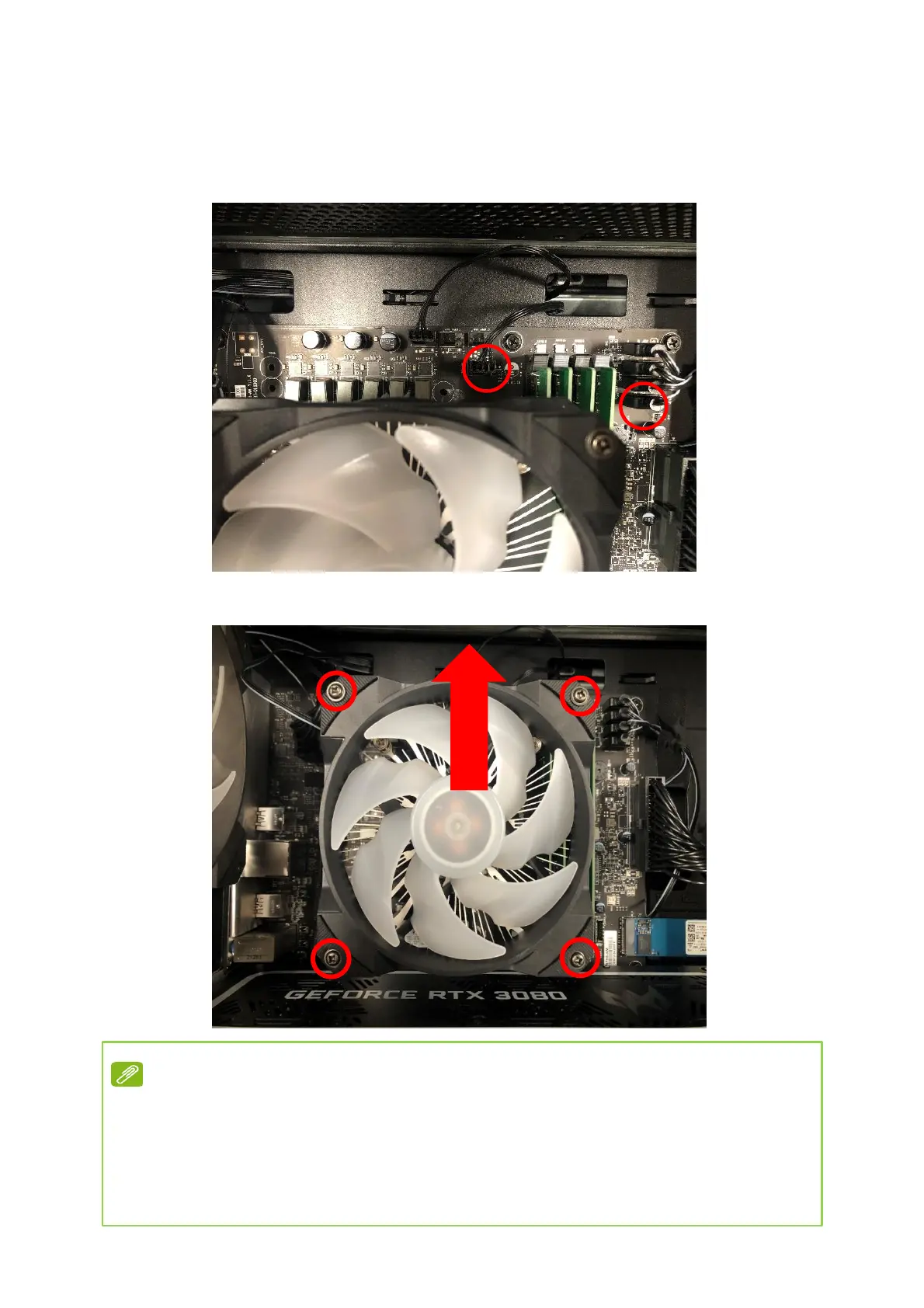
Remove CPU fan cable and CPU fan ARGB cable.
3.
Remove four screws for CPU cooler fan
and take it off.
Note
Once the fan is removed, if you want to re-install it back,
you have to apply the thermal grease evenly
Recommended grease part number: TC-5888


 To Next Page