Upgrading your Computer -
4.
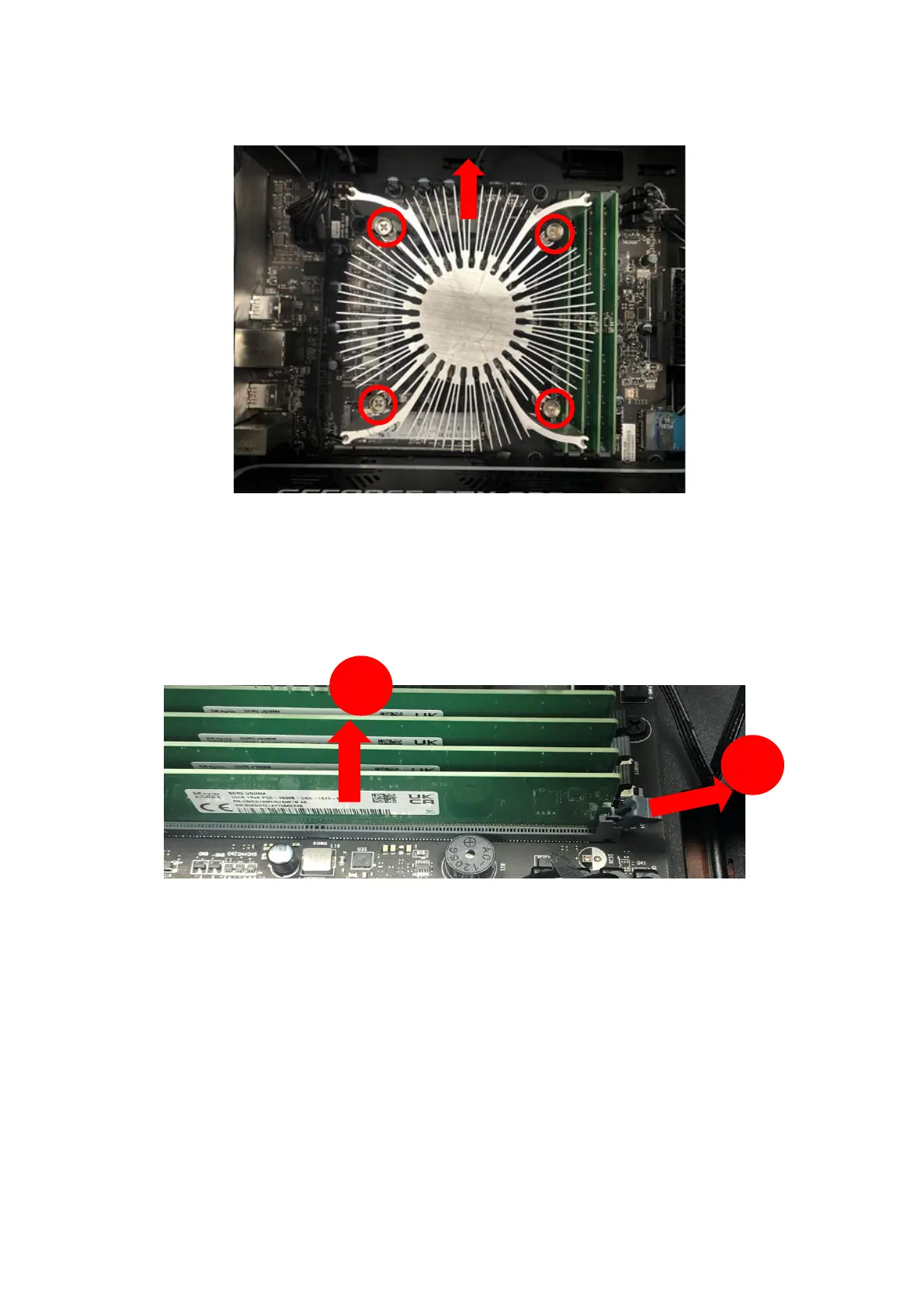
Remove four screws for CPU cooler
and take it off.
5.
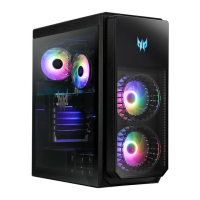
Press outward the holding clips on both sides of the
DIMM slot outward to release the memory module (1).
6.
Gently pull the memory module upward to remove it
from the DIMM slot (2).
7.
Repeat steps 2~3 to remove the other memory
modules.


 To Next Page