Upgrading your Computer -
Graphics board
The computer contains one or two Graphics board installed
in the PCIe x16 slots. The detail configuration will be
differed by different models.
Removing the Graphics board
1.
Perform Pre-installation instructions on page 6.
2.
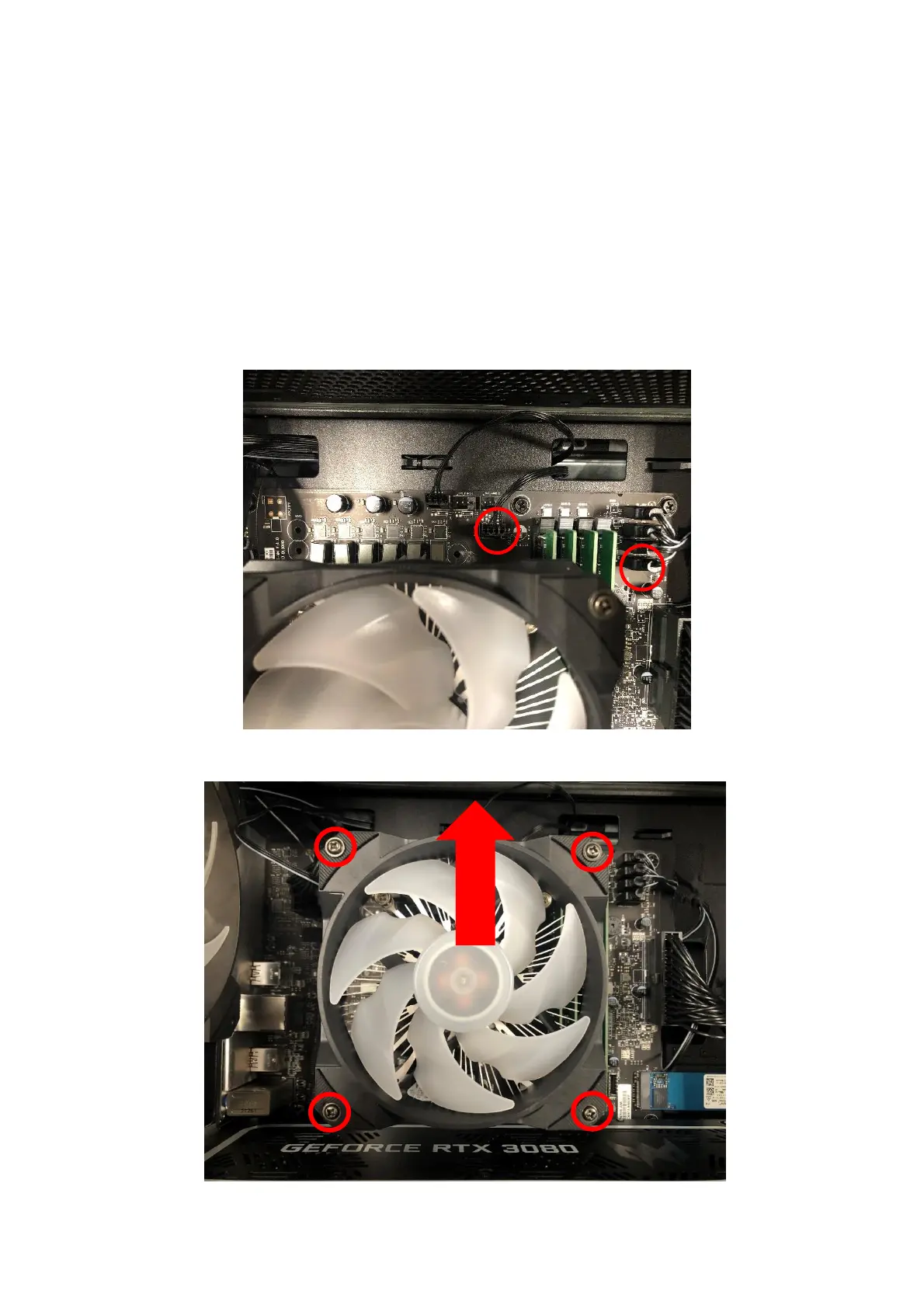
Remove four screws for CPU fan cable and CPU fan
ARGB cable.
3.
Remove four screws for CPU cooler fan and take it off.


 To Next Page