AirSpeed
®
Ascent Operator Manual Tech Service Hotline: 886-904-6979 Original Instructions
November 2020
Copyright Pregis Corporation 12
All Rights Reserved
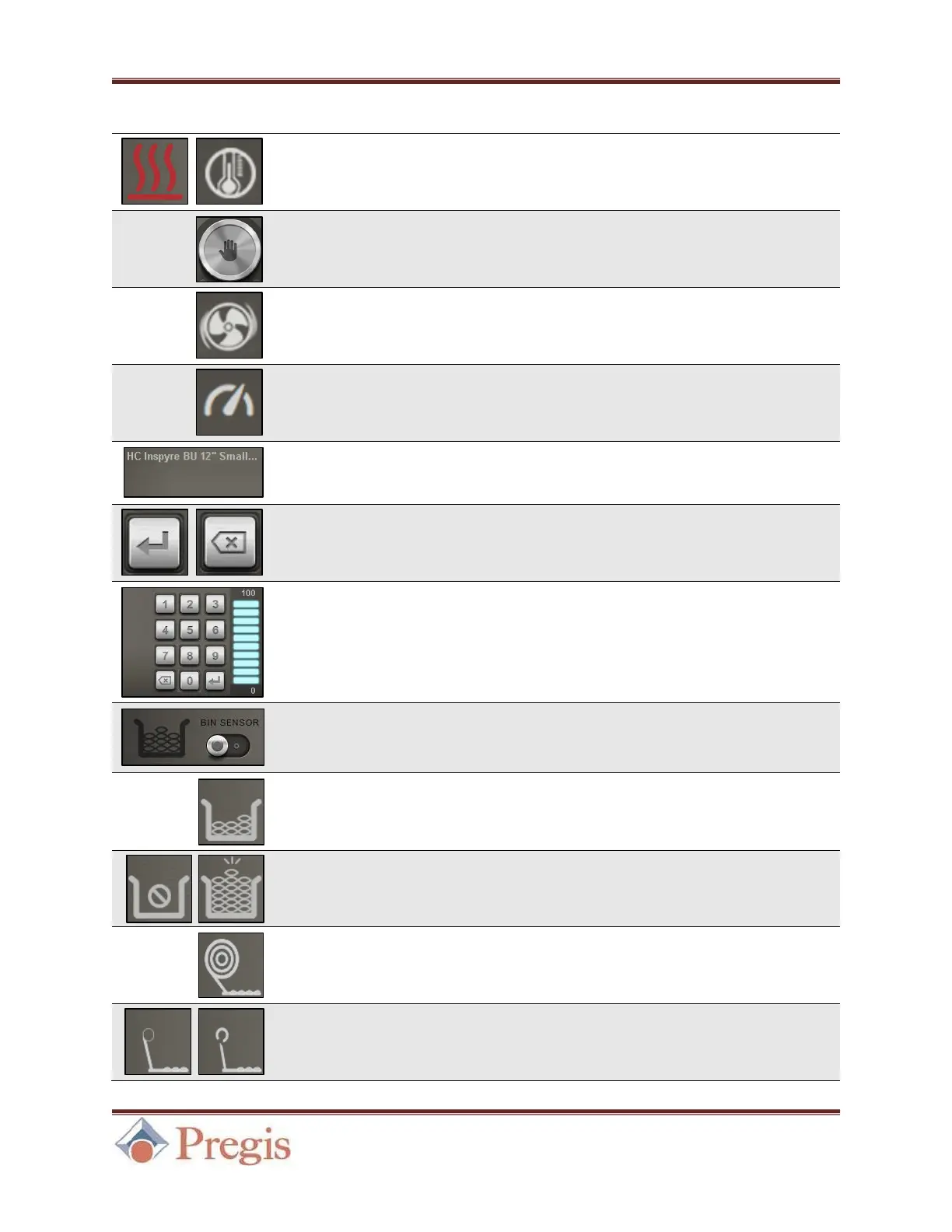
Seal Temperature
Indicator and Button
By selecting the Seal Temperature button, one can adjust
the sealing temperature. Once set, the Seal Temperature
Indicator will blink until the machine is ready.
The Start/Stop button will turn into a Wait symbol while
a temperature change is in progress. See Section 5.1.
By selecting the Air Level Button, one can adjust the air
level. See Section 5.1.
By selecting the Production Speed button, an authorized
user can adjust the production speed. This setting is not
customer adjustable. See Section 5.1.
This indicates the detected RFID Film Type and is located
to the right of the Fill Mode button. See Section 5.1.
When changing a value via the Keypad, use the Enter Key
to save the displayed value. The Delete button can be used
to erase numbers as needed.
Keypad and
Level Visualizer
When changing a setting such as Fill Mode, Seal
Temperature, or Air Level, use the keypad to change the
value. The Level Visualizer will display the range of
acceptable values.
If the machine is attached to a bin, this setting will be
enabled. This setting is not customer adjustable.
This indicates that Bin Mode is enabled when/if the
machine is attached to a bin.
While in Bin Mode, indicators will activate if the bin is
empty or full.
This indicates that Winder Mode is enabled when/if the
machine is attached to a winder.
Winder Idle /
Threading Indicator
While in Winder Mode, indicators will activate if the
winder is idle or threading.


 To Next Page