AirSpeed
®
Ascent Operator Manual Tech Service Hotline: 886-904-6979 Original Instructions
November 2020
Copyright Pregis Corporation 11
All Rights Reserved
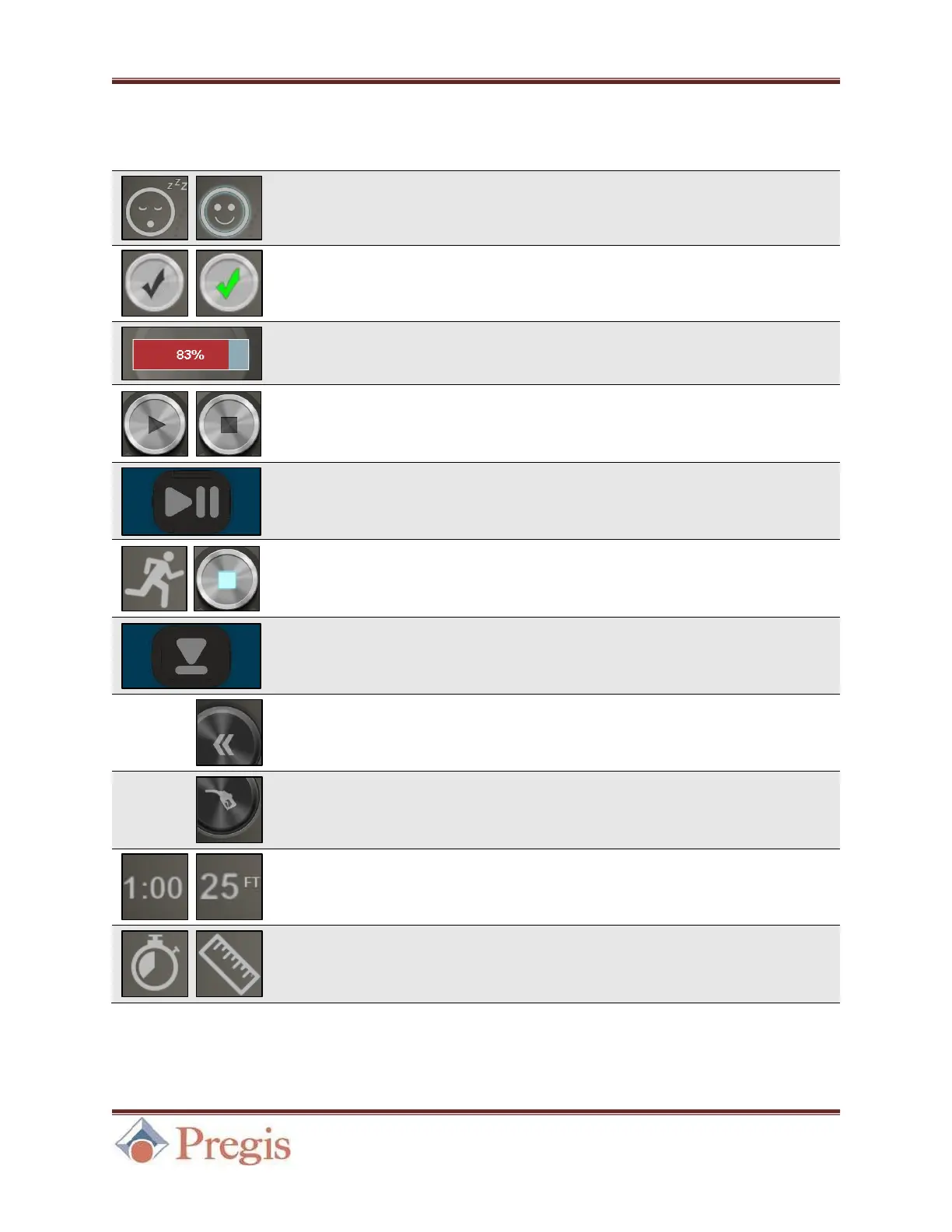
5.2 Table of Symbols
Displayed on startup, this symbol indicates
whether the machine is in Sleep Mode. See Section 4.3.
Use this button to wake the machine from Sleep Mode.
See Section 4.3.
Function progress is displayed on the right side of the
screen for various processes, including Wake from Sleep.
Use this button to Start the machine. While the machine is
running, this turns into a Stop button able to stop the
machine if pressed. See Section 5.1.
Start/Stop Button
(Physical)
The physical Start button performs similarly to the
touchscreen button. It is located near the lower right corner
of the front panel. See Figure 13 in Section 4.2.
The Jog button is used to load film. Hold the touchscreen
Start/Stop button for 3 seconds access the Jog feature.
Alternatively, use the physical Jog button.
The physical Jog button is used to load film. It is located
near the upper right corner of the front panel.
See Figure 13 in Section 4.2.
The Back button allows the user to return to the Home
Screen.
This button brings up the Fill Mode menu. Depending
on fill mode, length/time per run can be set be pressing the
Run Time/Length button. See Section 5.3.
Once a mode is selected in the Fill Mode menu,
length/time per run can be set by pressing either indicator.
See Figure 20 in Section 5.3.
Run Time/Length
Indicator
Once Run Time or Length is selected in the Fill Mode
menu, the appropriate indicator will display on the Home
Screen.


 To Next Page