AirSpeed
®
Ascent Operator Manual Tech Service Hotline: 886-904-6979 Original Instructions
November 2020
Copyright Pregis Corporation 13
All Rights Reserved
5.3 Fill Mode Adjustments
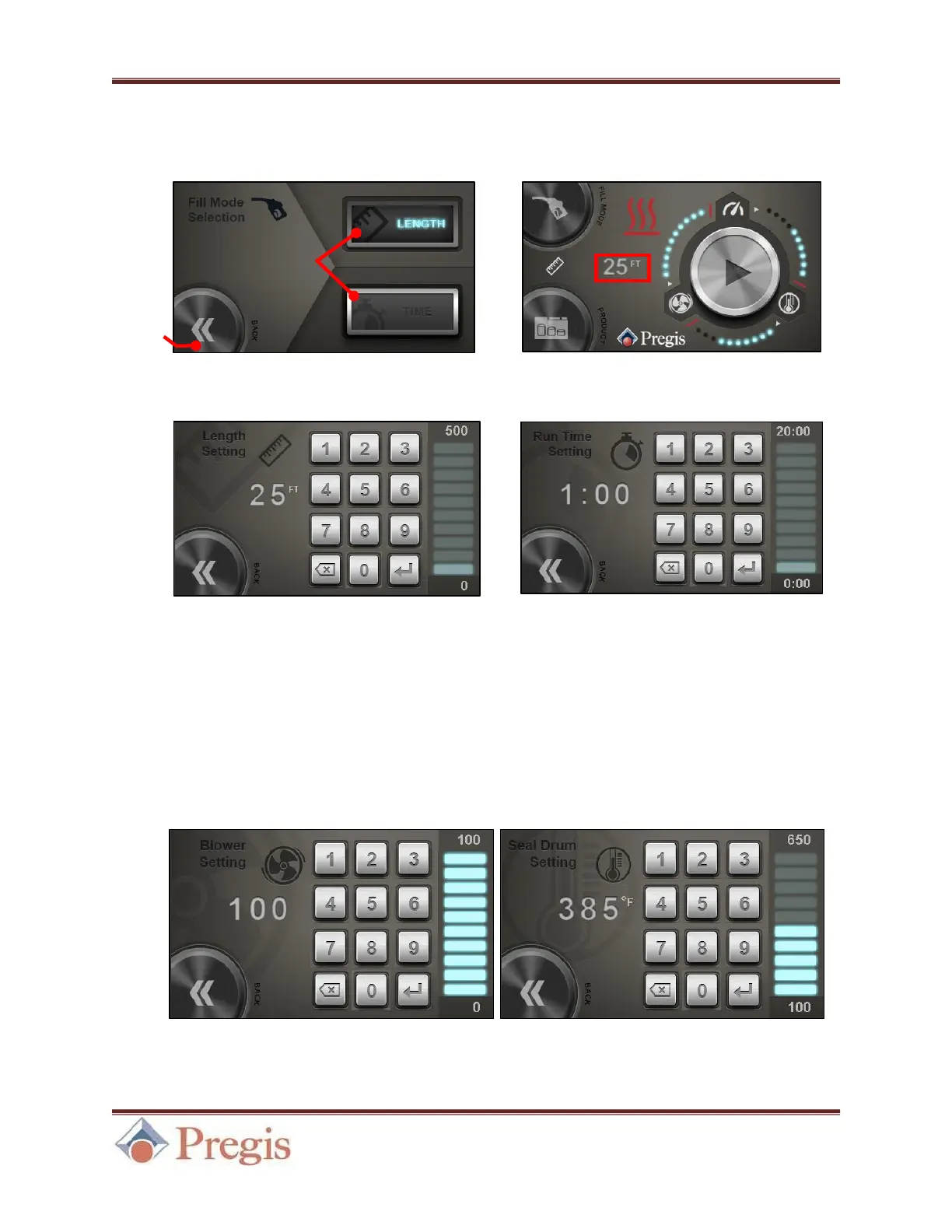
Pressing the Fill Mode button brings up the Fill Mode Selection menu.
After desired value is entered, click the Enter key and return to the Home Screen using the Back
button. Continuous Mode can be activated by entering zero (“0”) for either setting in Time or
Length modes. In this mode, the machine will run until stopped by the user.
5.4 Air Level and Temperature Adjustments
Pressing the Air Level button and Seal Temperature button opens the Blower Setting and Seal
Drum Setting menus, respectively.
Figure 23. Input the desired value, click the Enter key, return to the Home Screen using the Back button.


 To Next Page