EST200 Installation
EST100/EST200
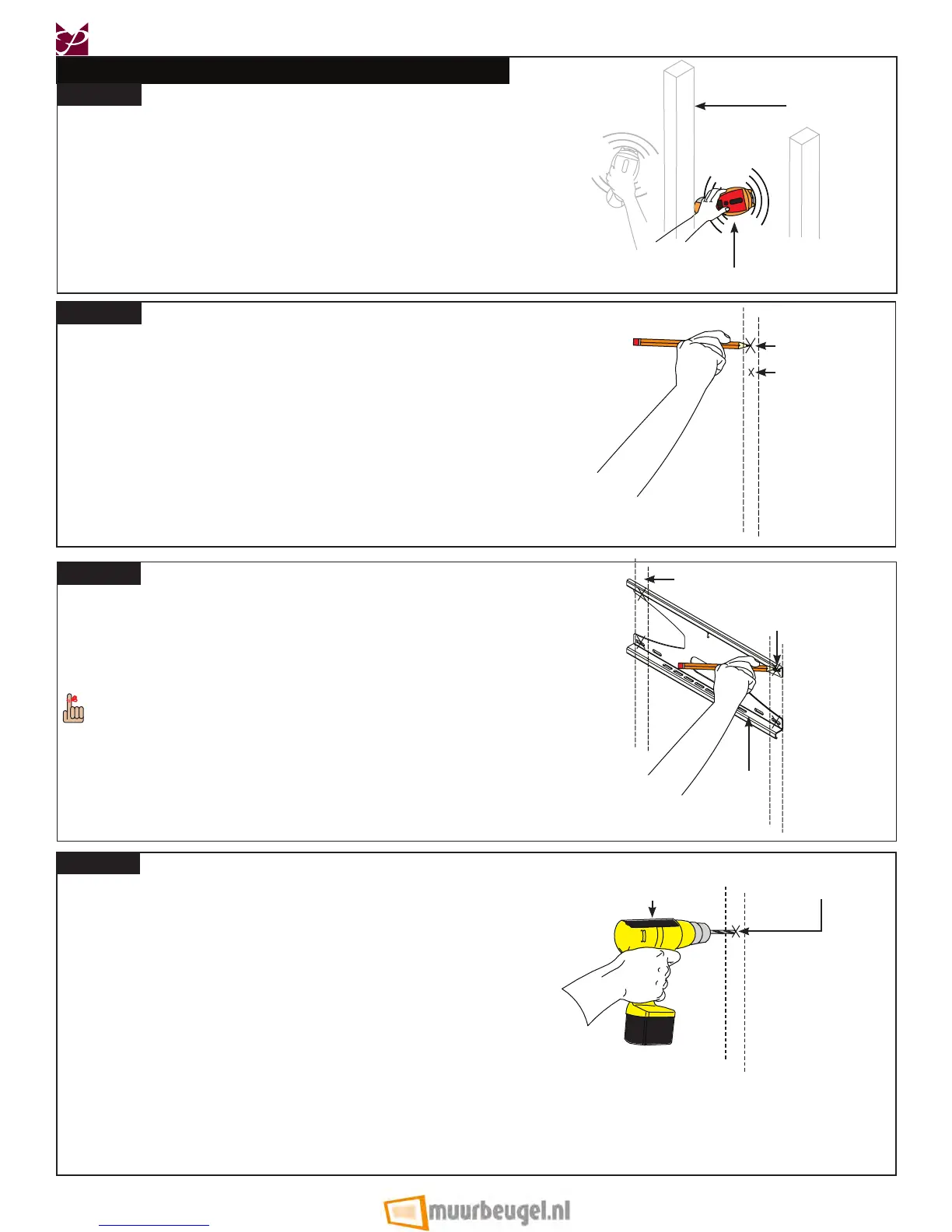
Use an electronic stud nder (not supplied) to
locate the center of the stud that is in the wall.
Wood Stud
Stud nder
Height
Mark
(from page 5)
Wood Stud
Marking
Back
Plate
Once the mounting points have been marked, use a
⅛˝ drill bit and portable drill to drill the pilot holes.
Drill
Marking
Mounting Point
Mark
Step 1
Step 2
Step 4
Use a pencil to mark the rst mounting point, just
above your height mark (from page 5).
Step 3
Use the level to make sure the back plate is level from
side to side.
®
Align one of the lower mounting slots of the back plate
with the rst mounting point mark and use a pencil to
mark the rest of the mounting points.
Four (4) mounting points must be used. Two (2)
upper mounting points and two (2) lower mounting
points.
Page 8 Visit the Premier Mounts website at http://www.mounts.com Installation Instructions



 To Next Page