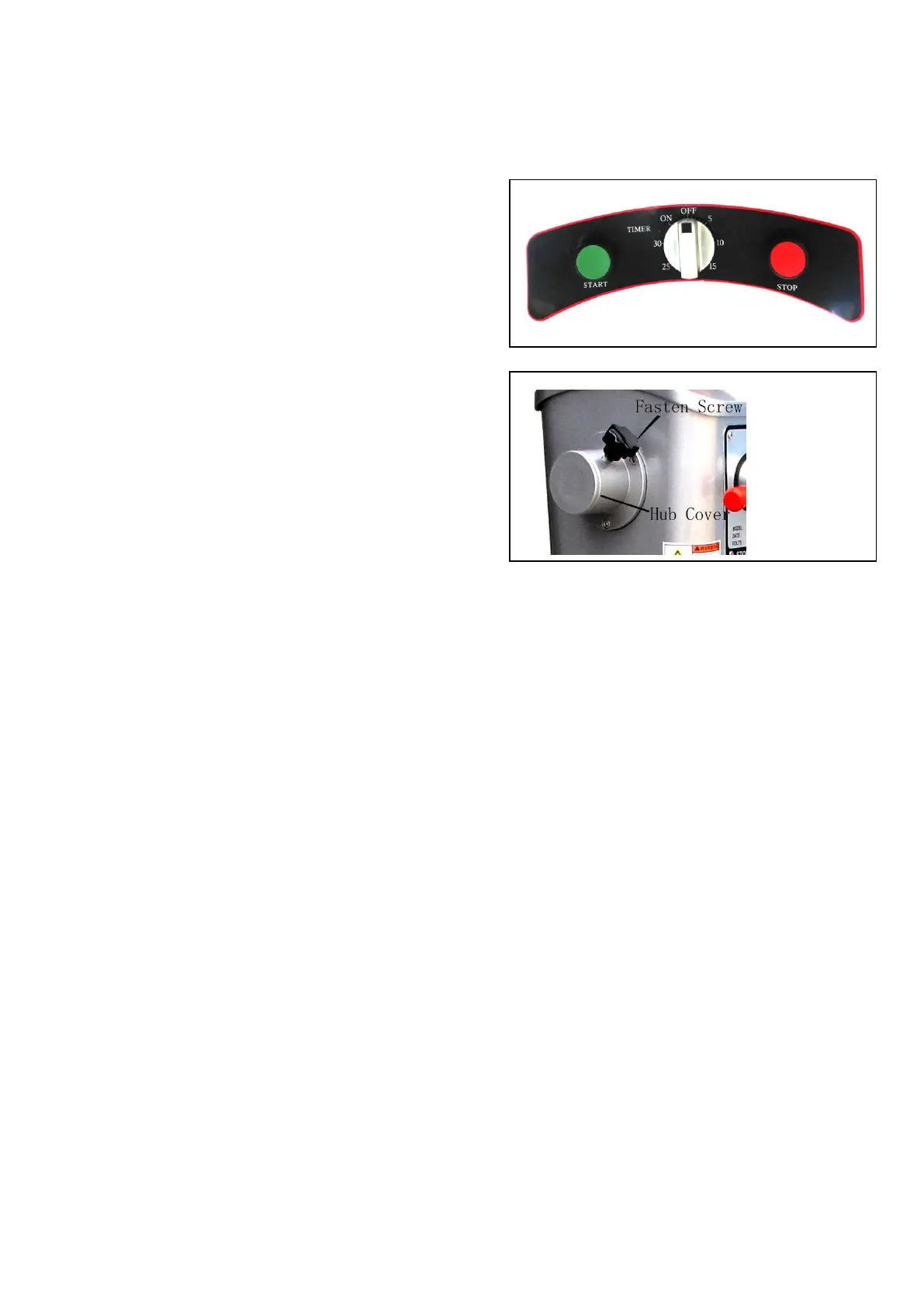
Set the timer for the appropriate mixing time or set
the mixer for non-timed operation.
a. Timed Operation: Turn the timer knob in
a clockwise direction at the position
between “5” to “30”, to get mixing time
between 5 mins to 30mins.
b. Non-Timed Operation: Turn the timer
knob in a counterclockwise direction to the
green “on” position.
NOTE: Heavy loads should not be mixed
longer than fifteen (15) minutes at this setting
without an equal amount of rest time for the mixer.
failure to adhere to these instructions may cause the
mixer to automatically shut off due to overloading.
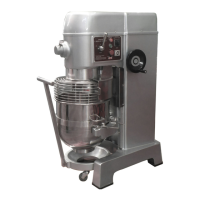
Loosen and remove the attachment hub fasten screw.
Remove the plastic hub cover from the attachment hub.
lubricate the attachment shaft with a food quality grease or mineral oil.
Insert the attachment shaft into the hub making sure to line up the alignment pin with
the hub hole.
Tighten the thumbscrew back into the hub and securely tighten it.
Select the appropriate speed setting by lifting or lowering the speed control lever.
Recommended Speed while using attachments:
attachment recommended Speed
Vegetable Slicer 1 or 2
cheese Shredder/Grater 2 or 3
Meat Grinder 1 only


 To Next Page