4. Volume Controls
There are two separate volume or gain controls on the DMX-40. One controls the audio
volume going to the headphone jack. The other controls the signal gain to the decoder.
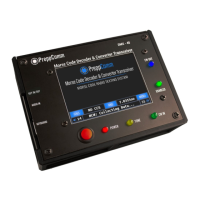
The default values are 10 and 30, and are shown at the bottom left and right of the Main
Screen (see Figure 3).
Try adjusting both now, using the keys with or without the shift key down, watching the
values change on-screen. For weak signals, increase the decoder gain to 40. For
strong signals, you may need to reduce below 30. Audio setting is for your preference.
5. Tuning Practice
1. Press the right arrow key. Note the frequency has increased to 7030001. You
have increased the receiver frequency by 1 Hz."
2. Press and hold the right arrow key, and after 1 second, auto-repeat on the
keyboard kicks in. Now you see the frequency step up in 1 Hz intervals."
3. Press the up arrow key once. You have now increased the step size to 10 Hz.
Note that the last digit has become a small zero. This is the visual indicator of the
step size. Repeat steps 1 and 2 with 10 Hz steps."
4. Press the down arrow key once. The step size has returned to 1 Hz steps."
5. Note: Typically, you will scan the band for a station by using 100 Hz, or even 1000
Hz steps. Do that now by pressing the up arrow key twice (two small zeros for 100
Hz steps), and holding the right arrow key down."
6. Test: See if you can return to 7.030000 on the Frequency Button. Practice moving
around. If you have a real antenna connected, check out 10 MHz or 5 MHz for
WWV. Hint: Go to 10,000 Hz steps to get there quickly. Note that outside the 40
meter band (7.0 - 7.3 MHz) the status line displays SW Listening for Short Wave
Listening.!
7. If you hear a Morse Code signal, adjust the frequency until you see the CW IN
LED light up and track the signal. Using 10 Hz steps, move up and down in
frequency steps to find approximate center of where the LED lights up. Adjust the
decoder gain down if the CW IN LED is staying on between Morse Code tones (very
strong signal), or up if the decoder is missing some tones (weak signal) using the
Decoder Gain keys."
"
If you don’t hear any signals, try again later in the day when the band is open."


 To Next Page